My Role
End-to-end Product Designer, UX Strategy, User Research, Information Architecture, Interaction Design, Data Visualization, Prototyping, Design Systems, Accessibility Design, and Cross-functional Collaboration.
Team: Product Manager, UX Researcher, Software Engineers, Program Managers, and stakeholders.
The Challenge
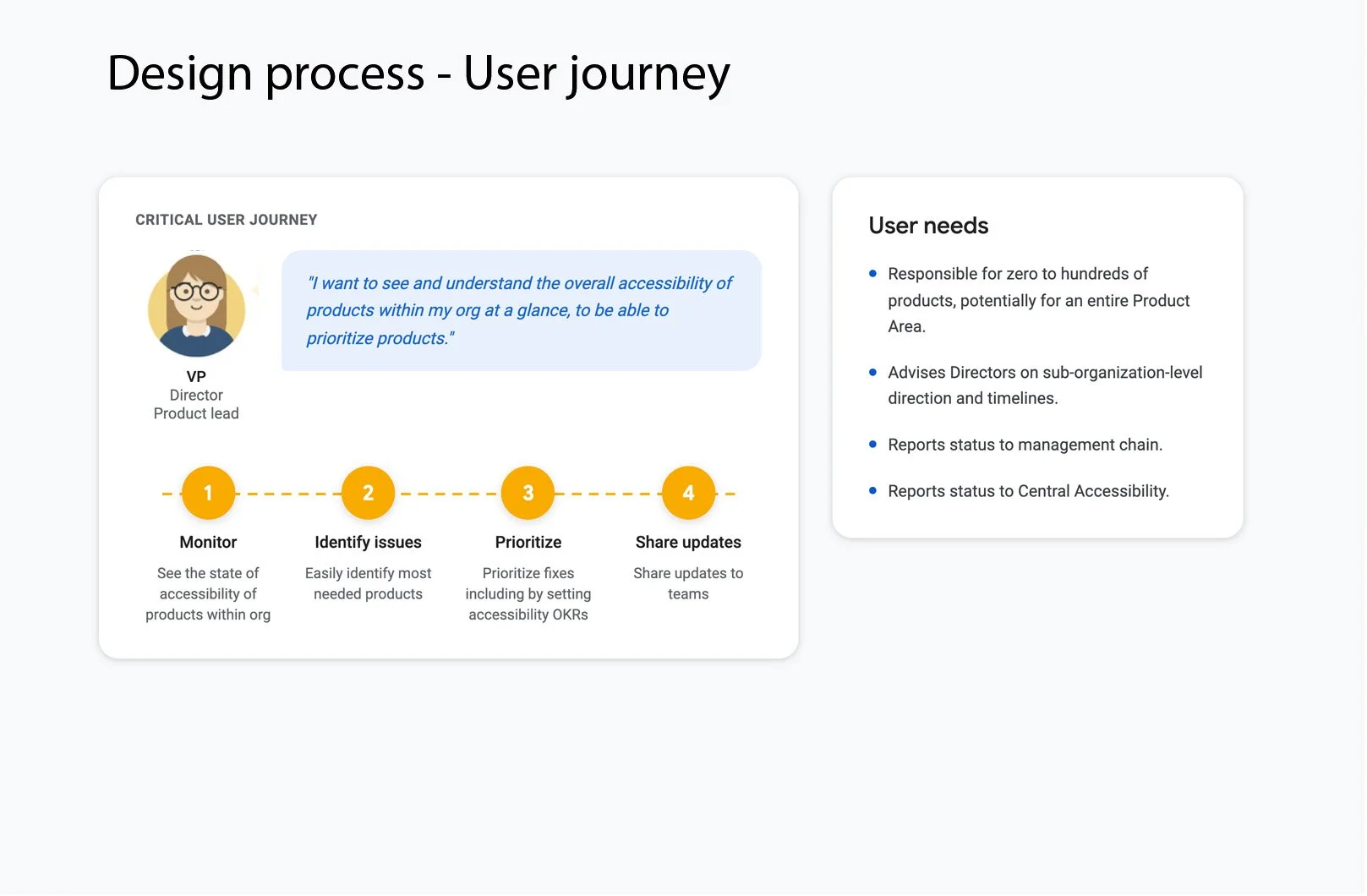
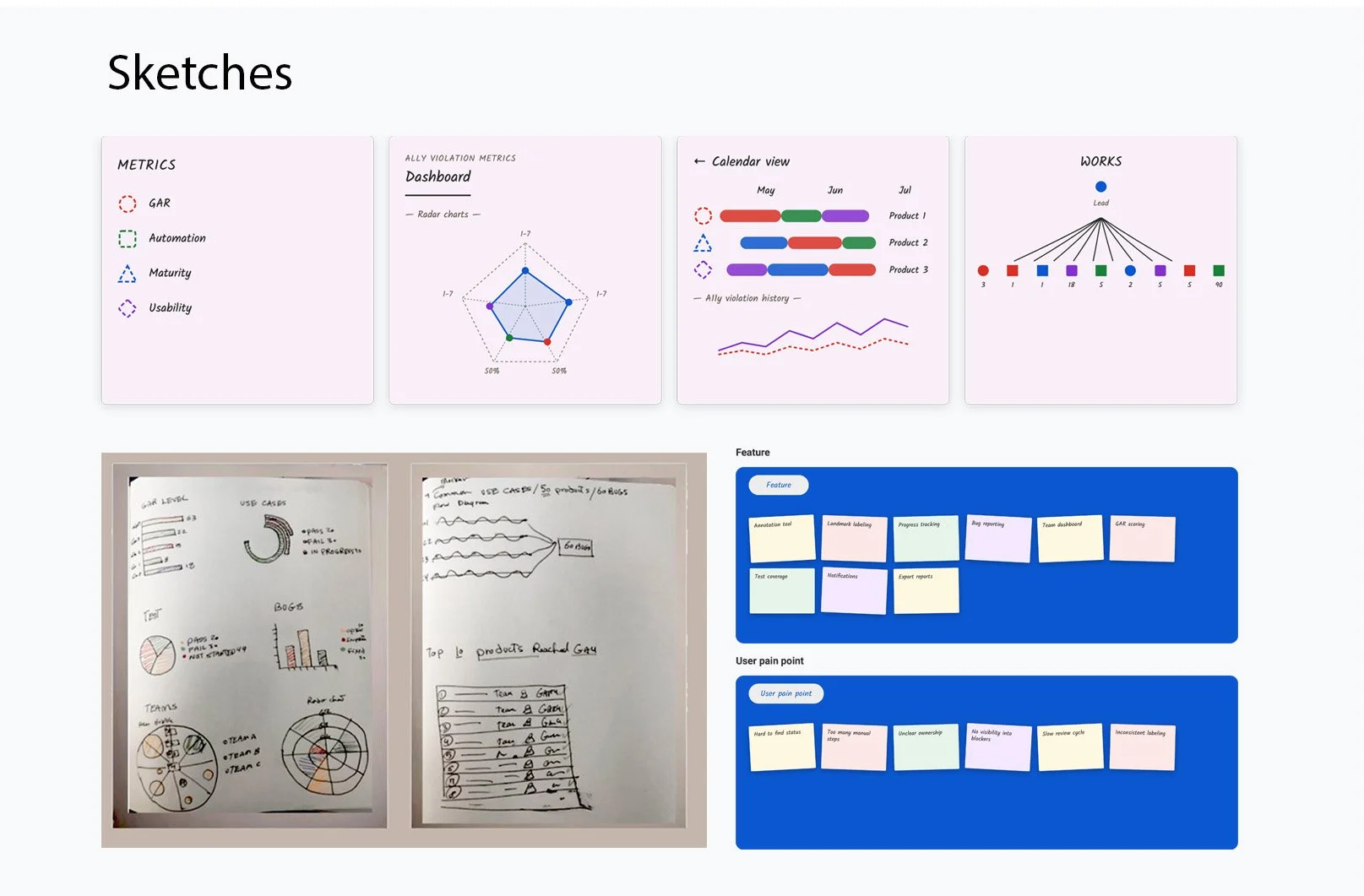
Accessibility data was scattered across multiple tools and reports, making it difficult for teams to answer questions such as: Which products have the highest accessibility risk? What issues should teams fix first? Are accessibility scores improving over time? Where are recurring problems happening across products? Managers often relied on manual reports and spreadsheets, making it difficult to gain a clear picture of accessibility health or make informed decisions.
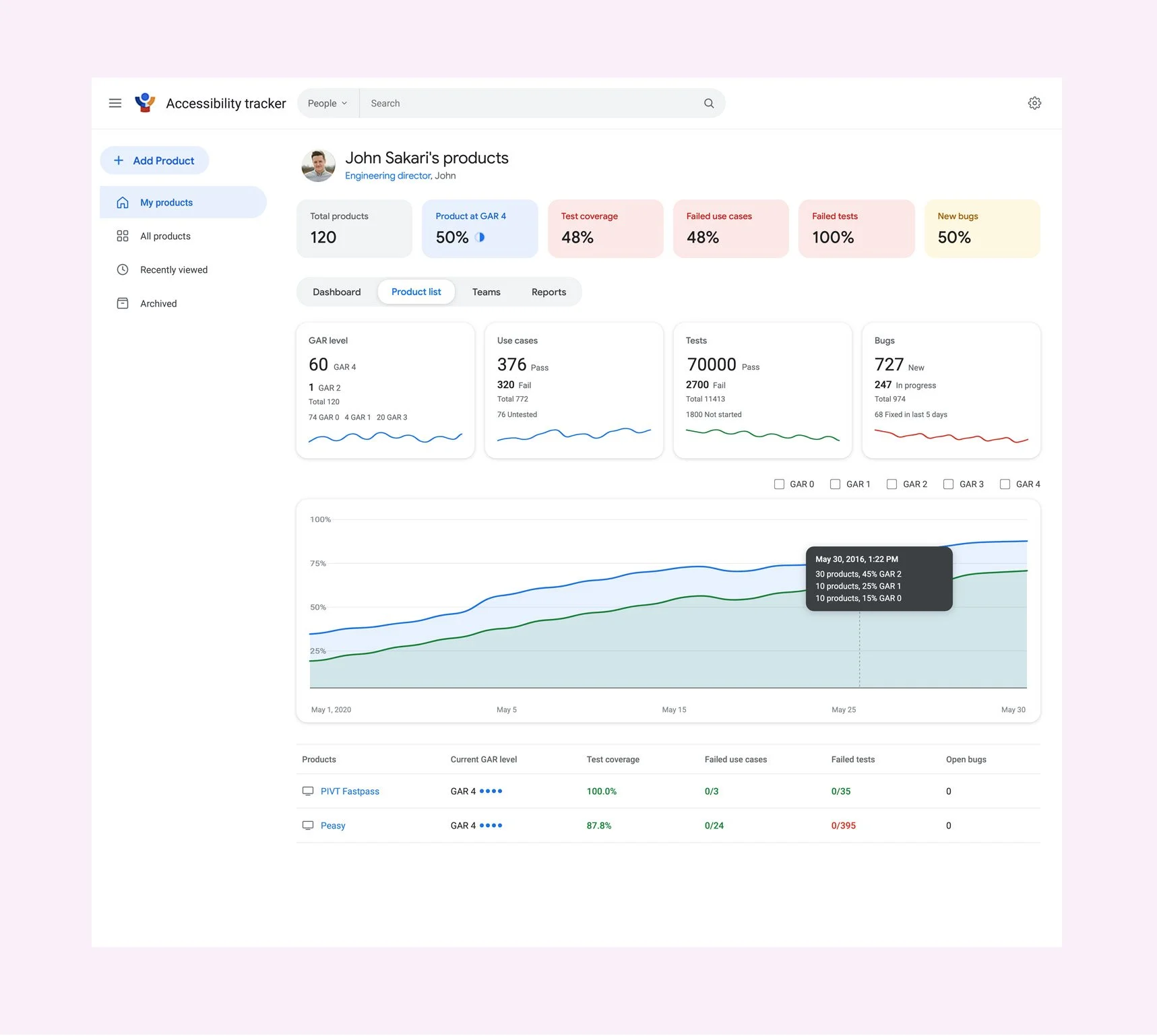
Accessibility Tracker
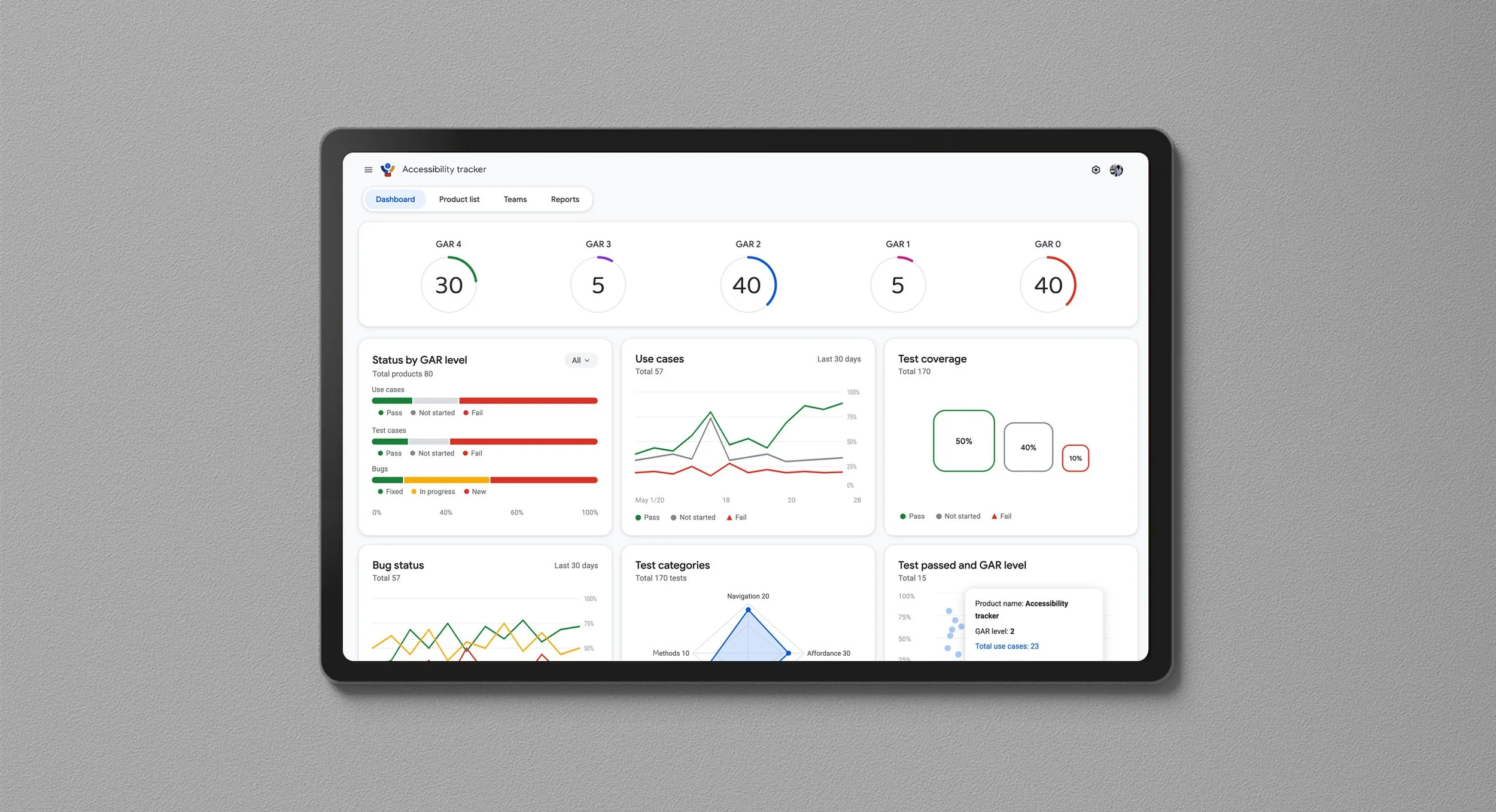
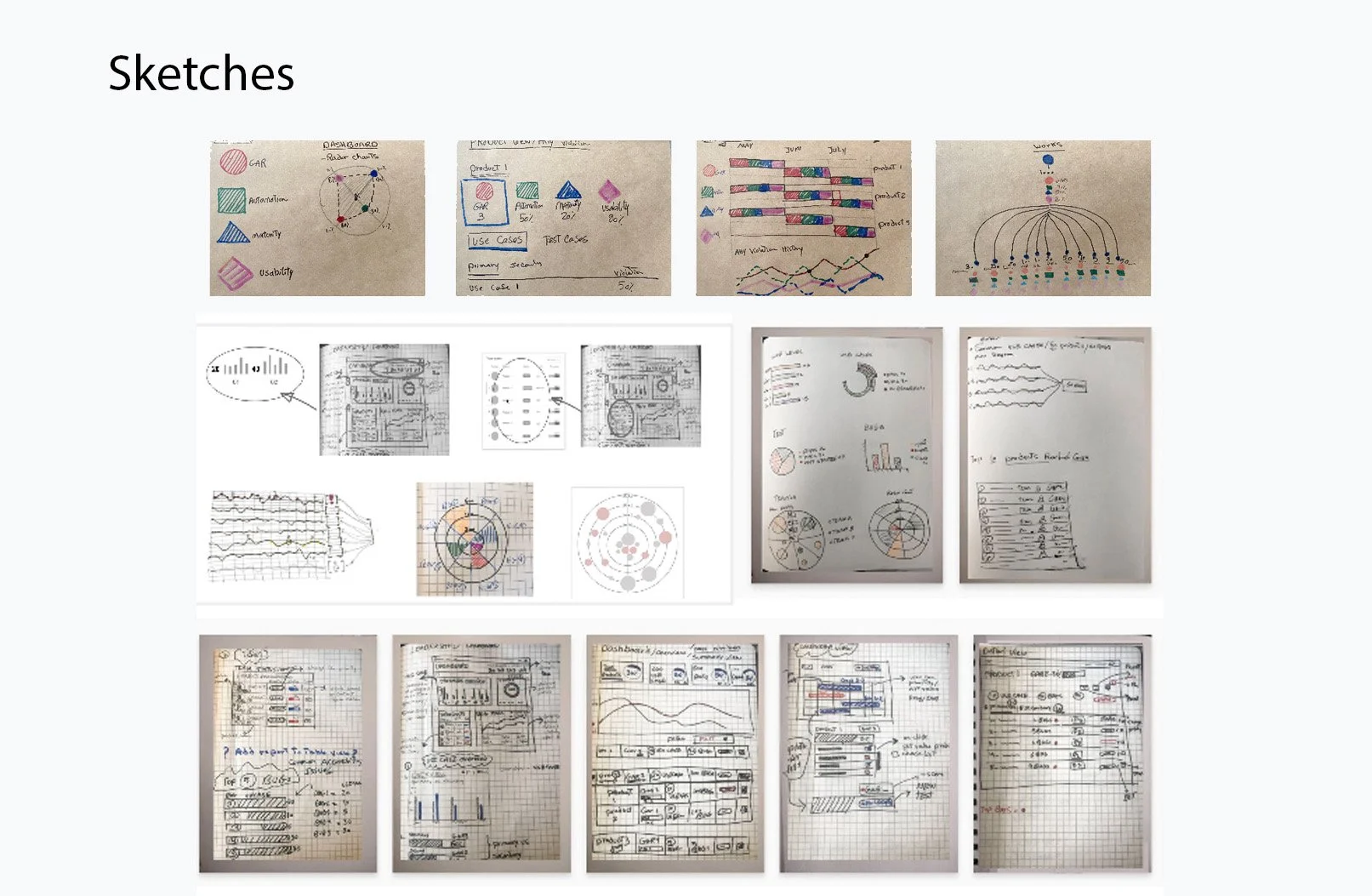
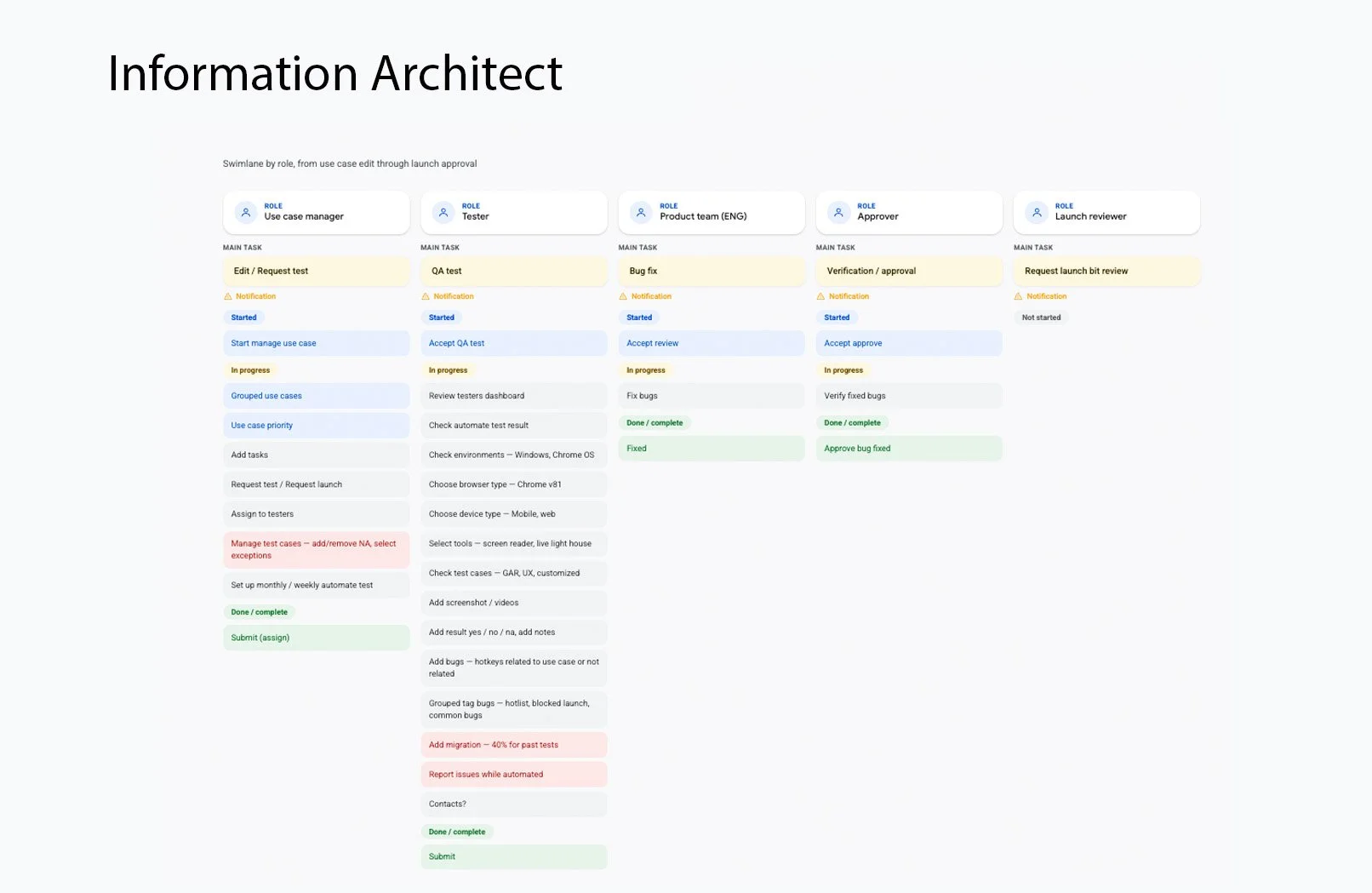
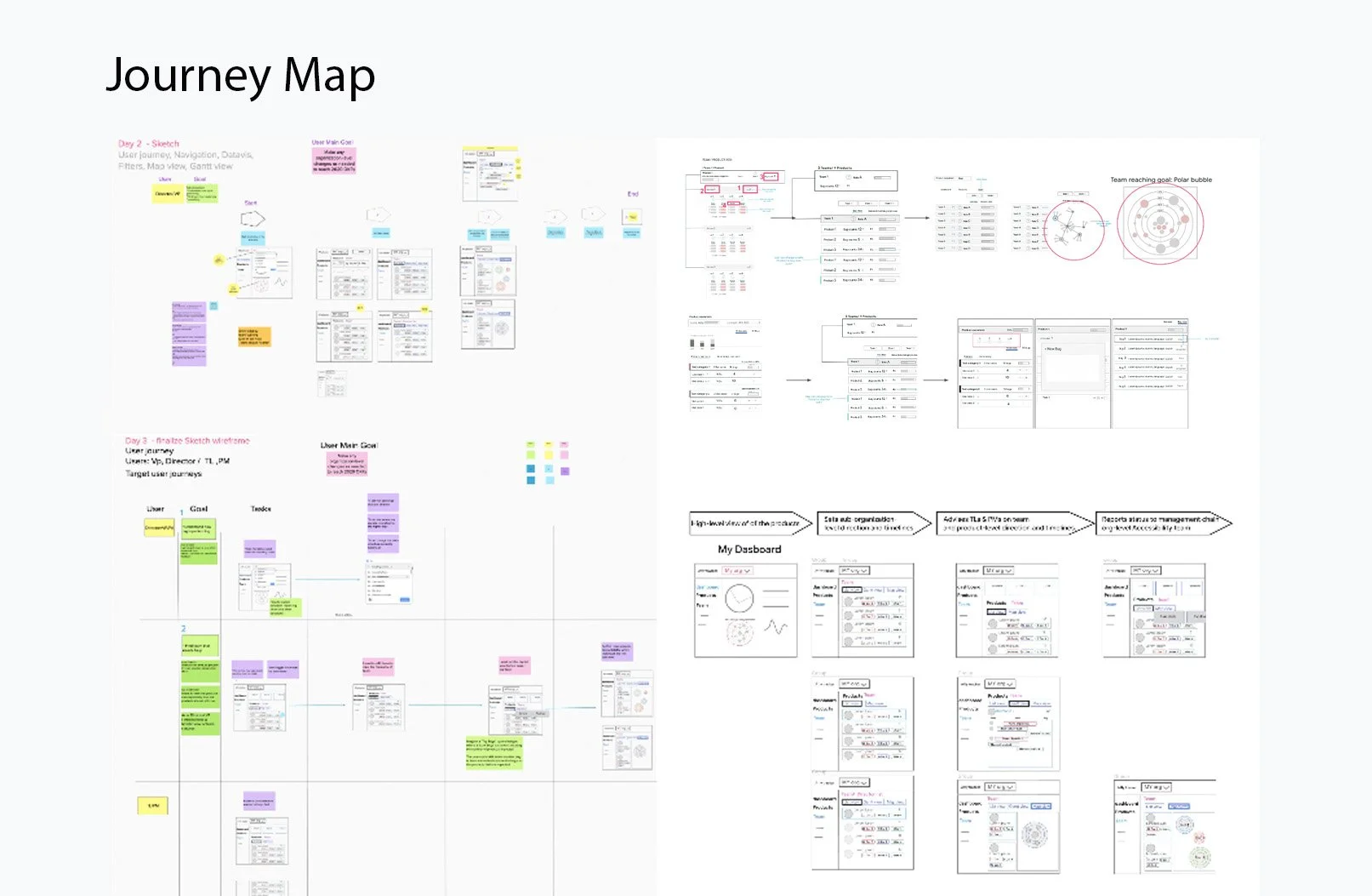
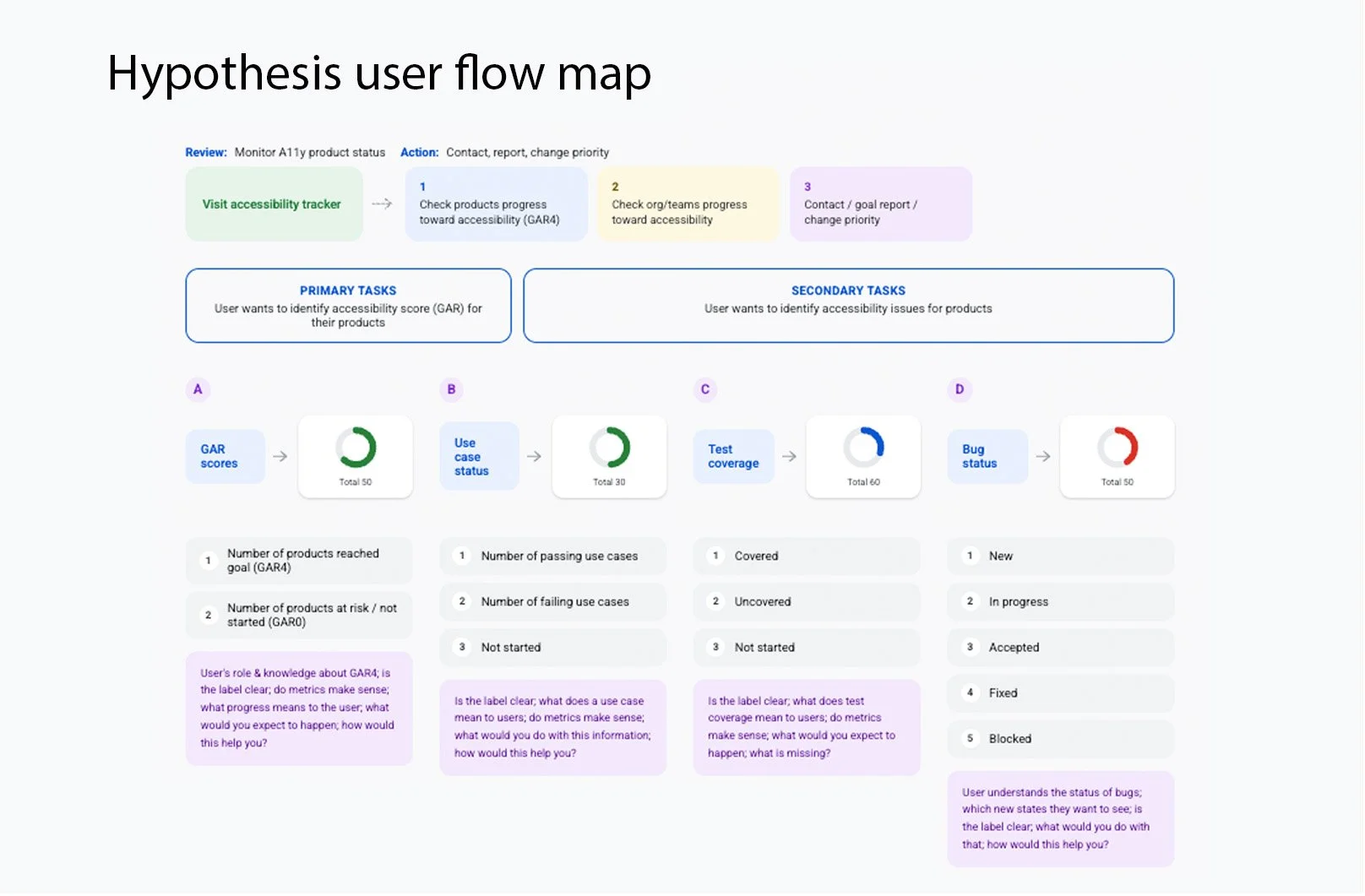
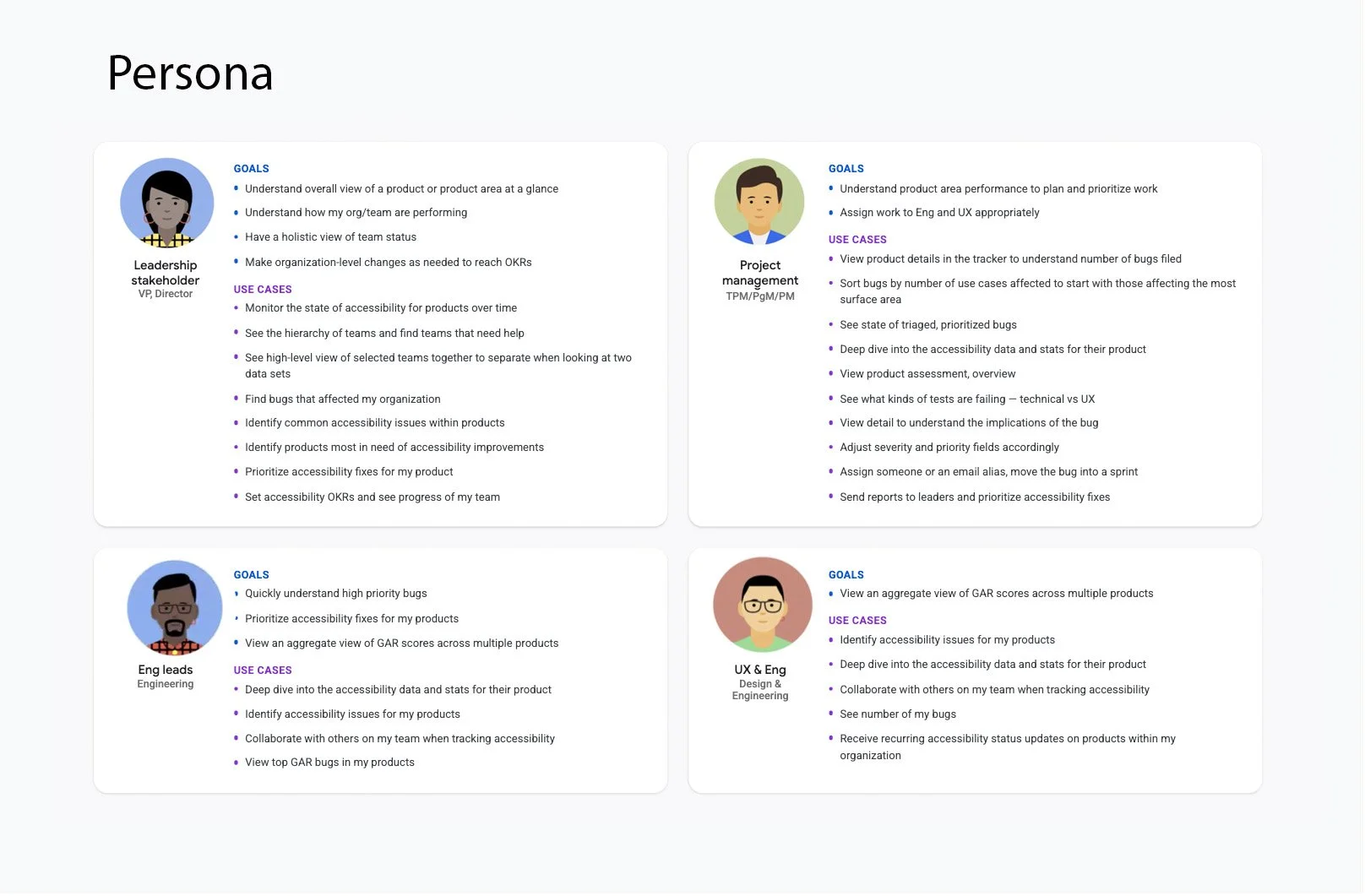
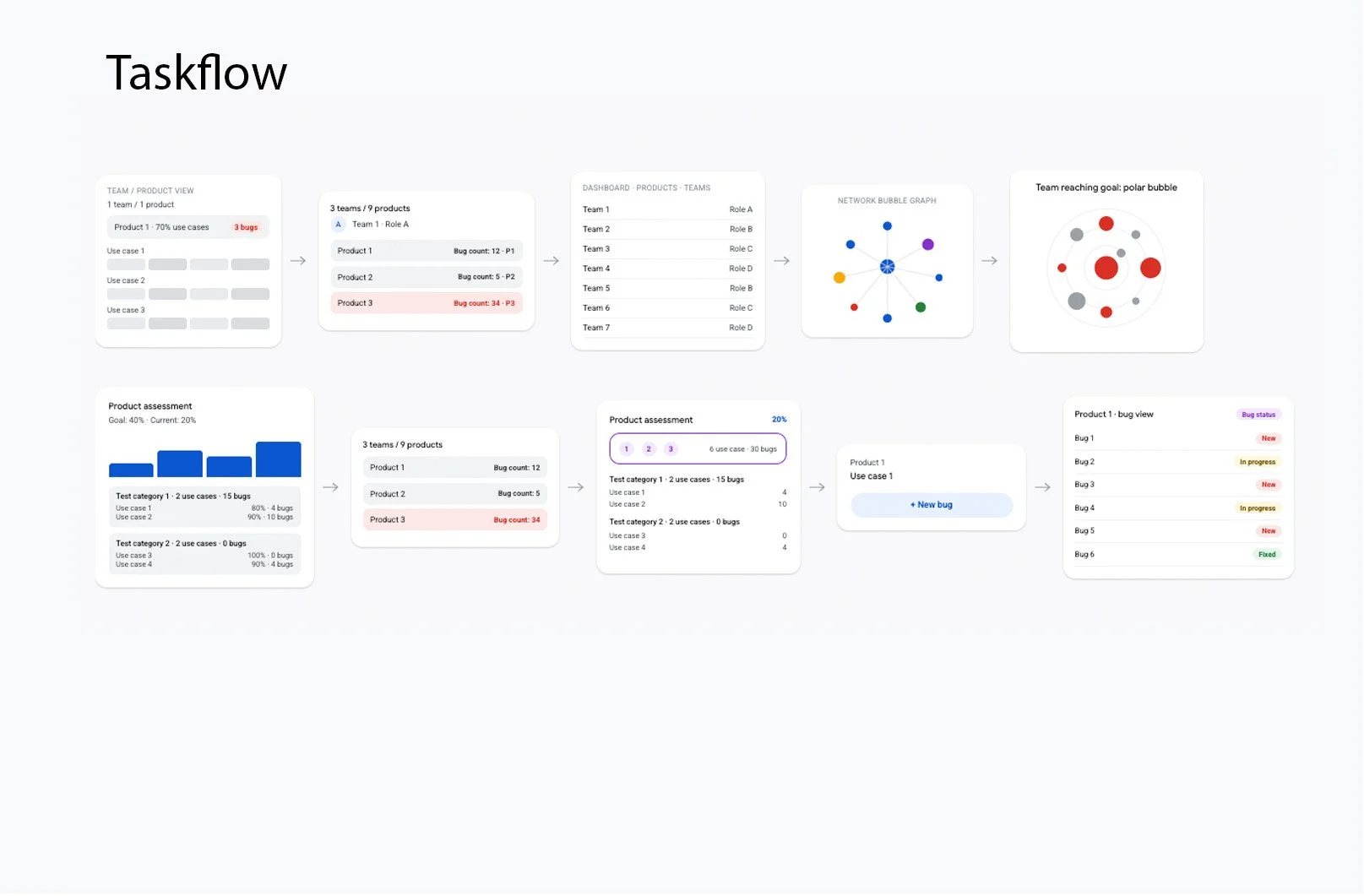
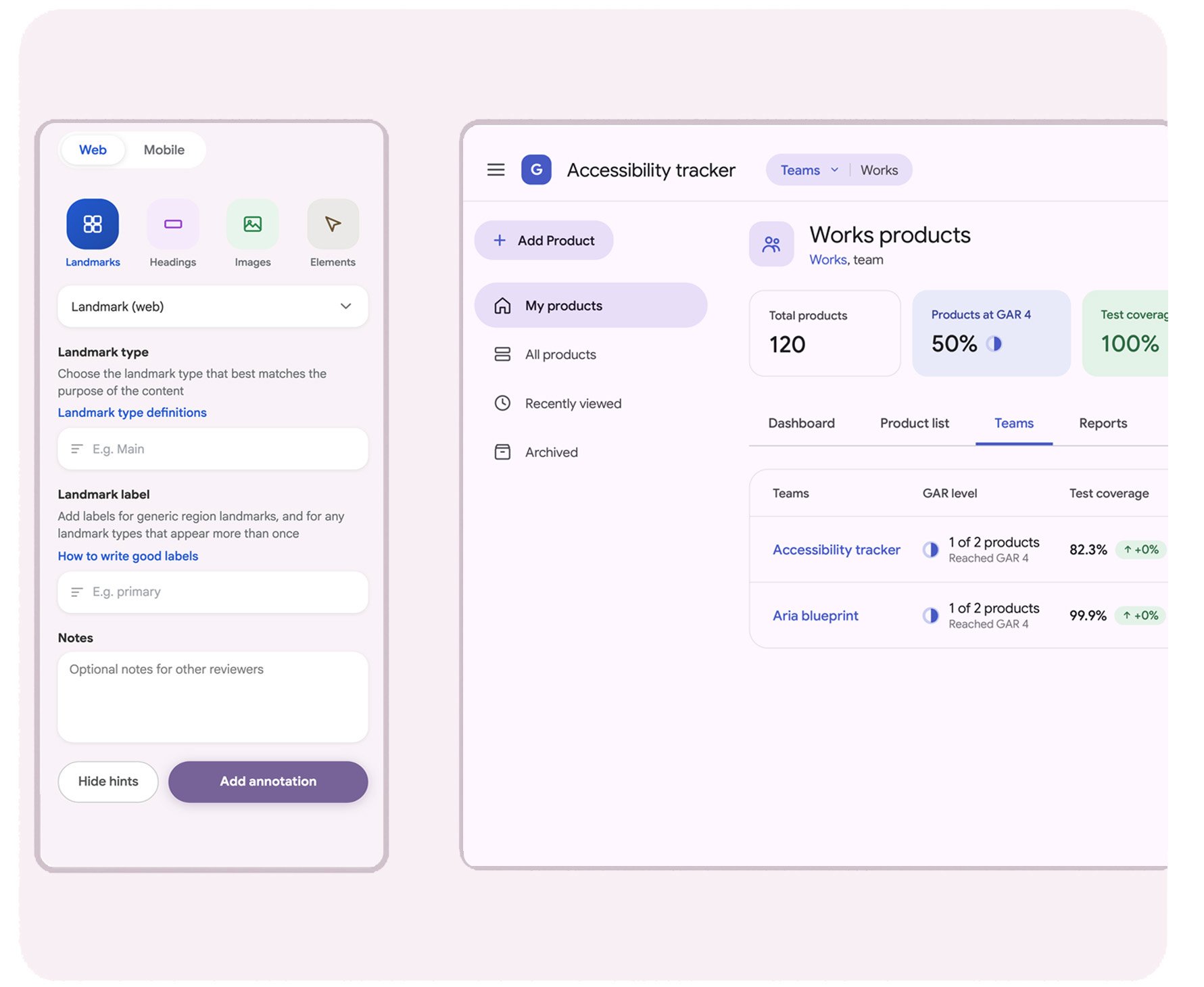
At Google, I led the end-to-end UX and product design for the Accessibility Tracker, an internal platform that helped product teams monitor accessibility health across multiple products. The goal was to replace fragmented reports and manual workflows with a centralized experience that enabled designers, engineers, managers, and accessibility specialists to understand accessibility issues, prioritize work, and track progress over time.
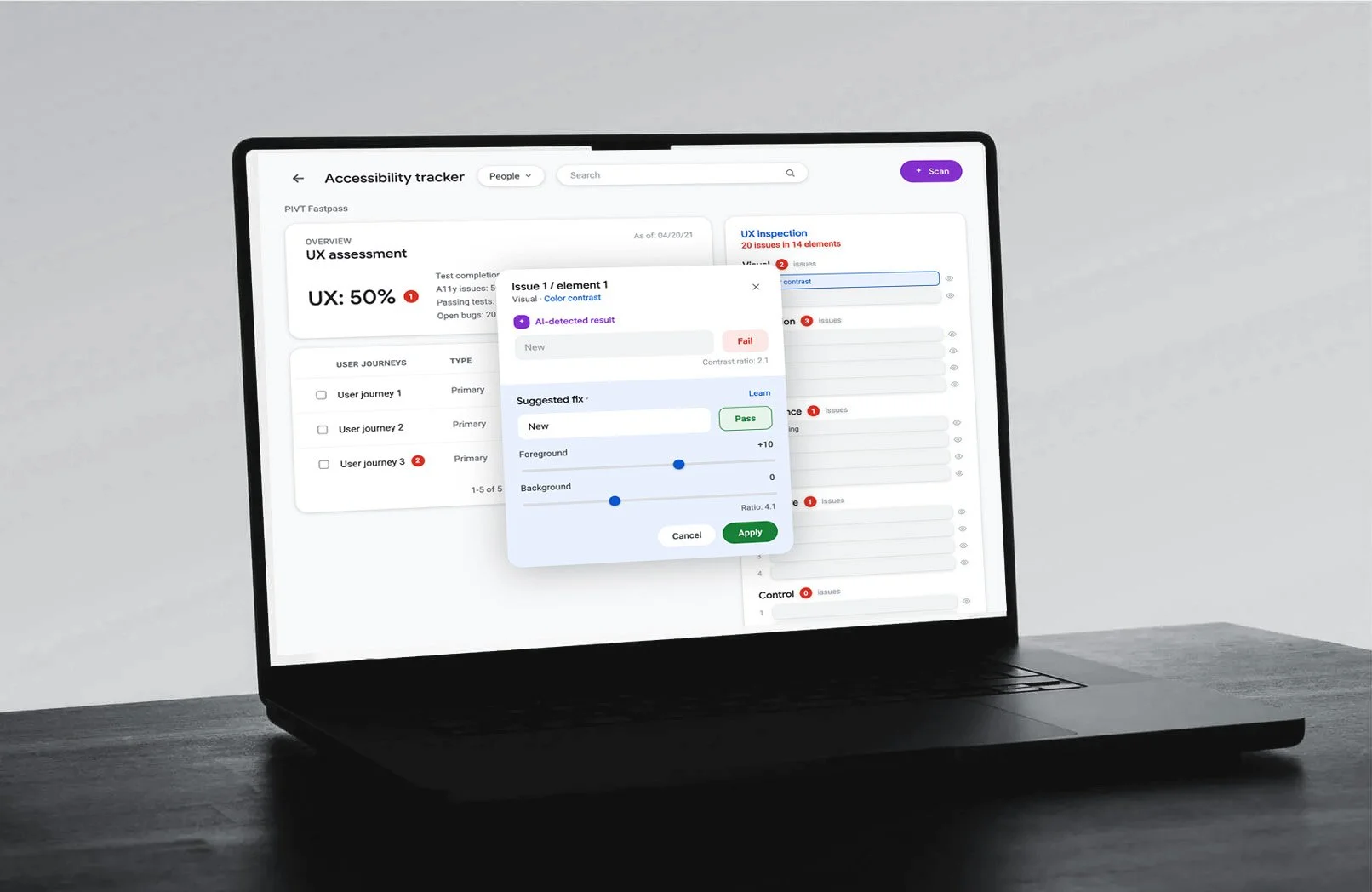
Problem
Data analysts and engineers worked with large amounts of accessibility data coming from automated checks and technical systems. The tools could identify accessibility failures, but the results were often technical and difficult to interpret. A finding might tell an engineer: Accessible name missing WCAG 4.1.2. But they still needed to understand:
What exactly is wrong?
How serious is it?
Who does it affect?
What should I do about it?
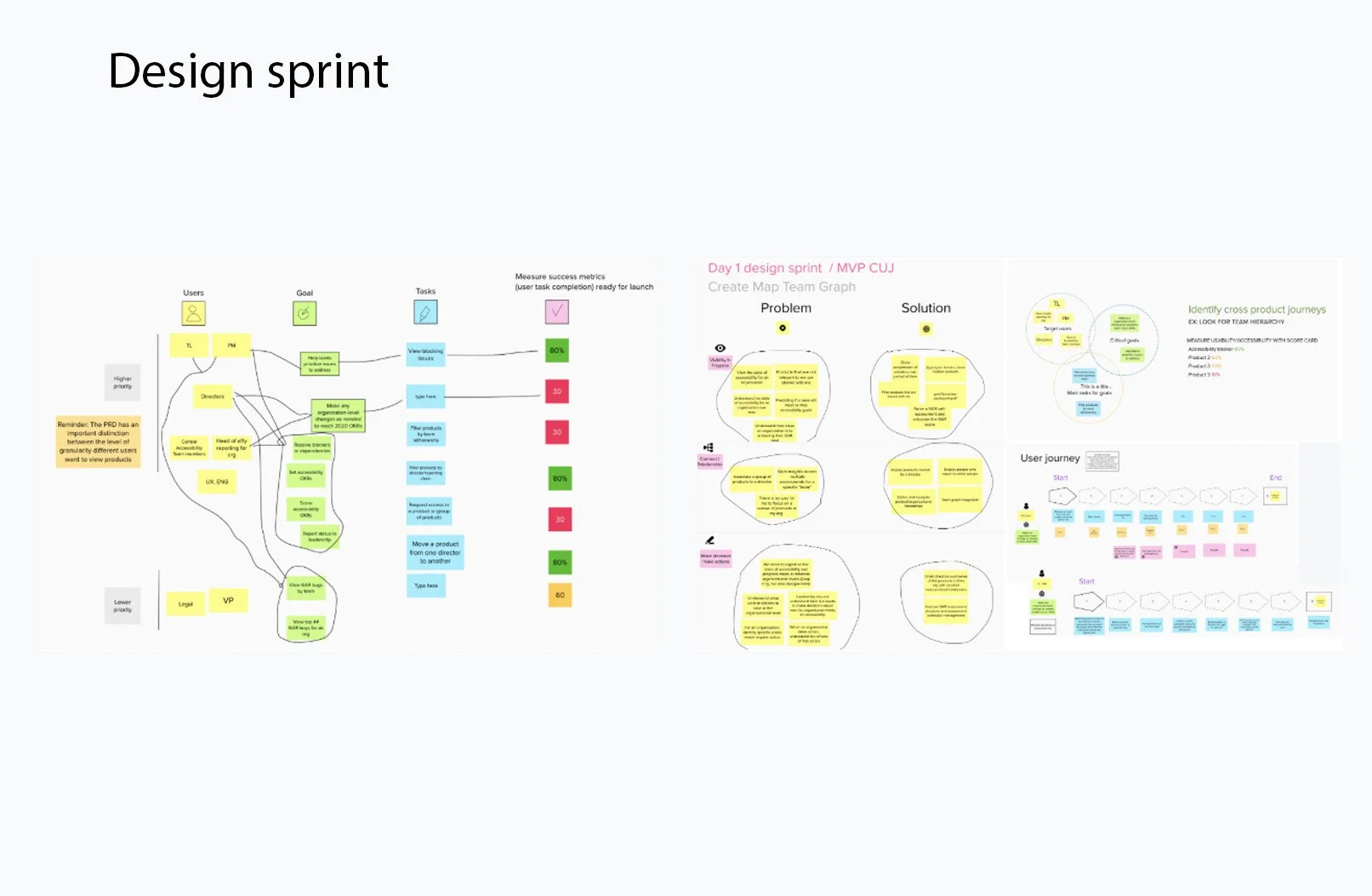
Design process
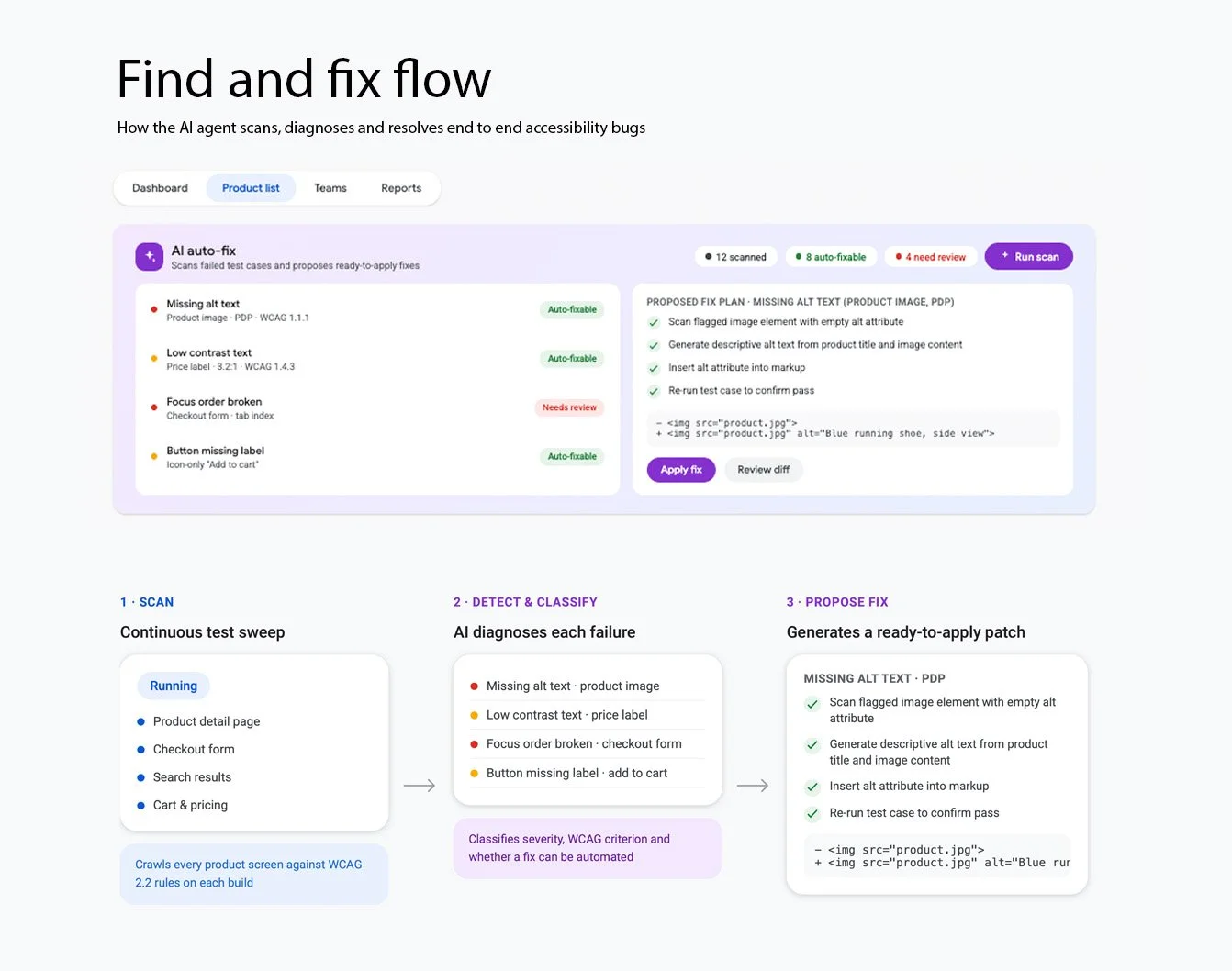
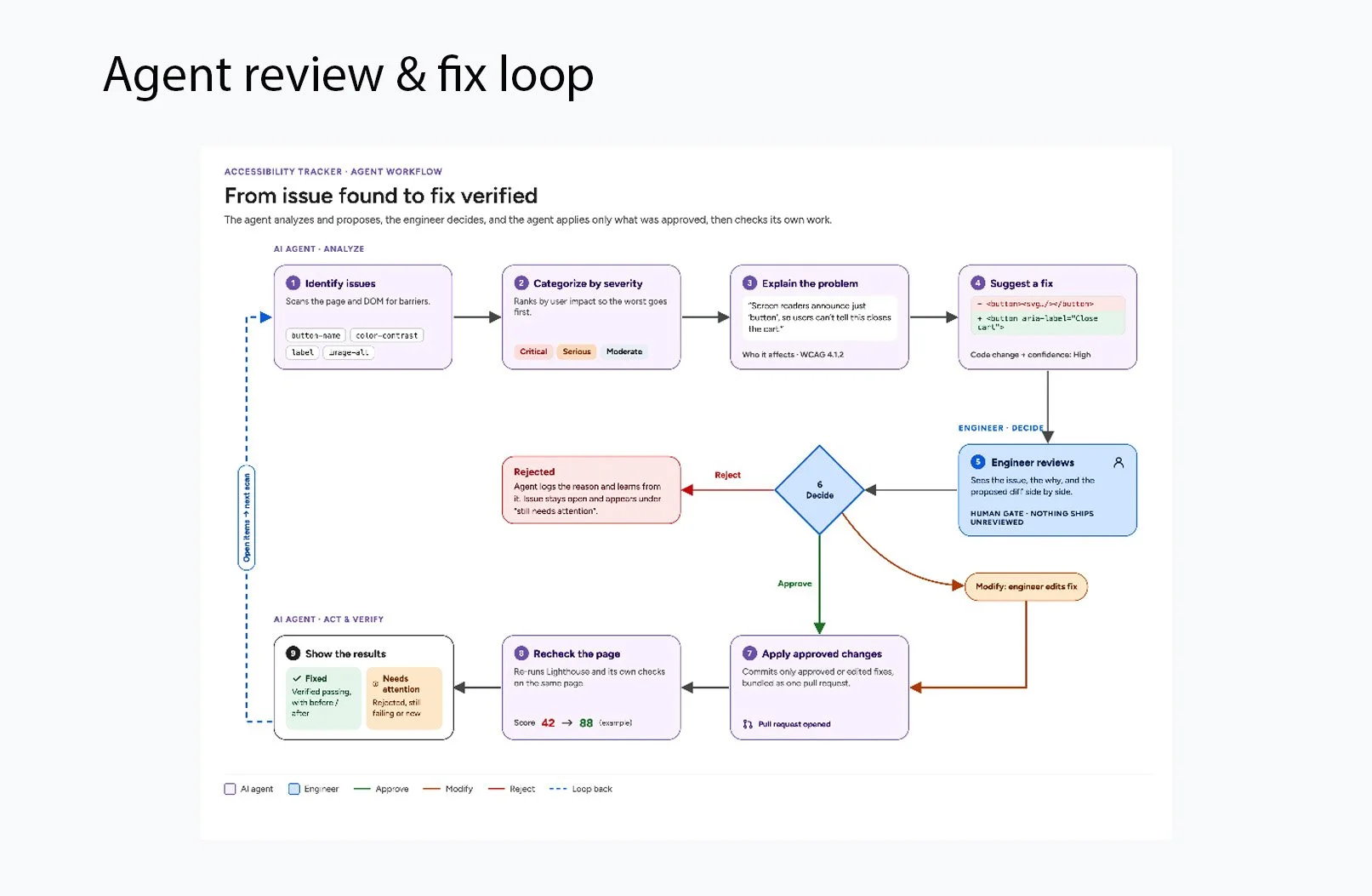
I explored multiple concepts for presenting AI-generated insights without overwhelming users. This included designing:
Contextual annotations that connected accessibility issues to affected interface elements
Severity indicators to help users prioritize critical issues
AI-generated explanations that translated technical findings into clear language
Suggested fixes and remediation guidance to support faster problem-solving
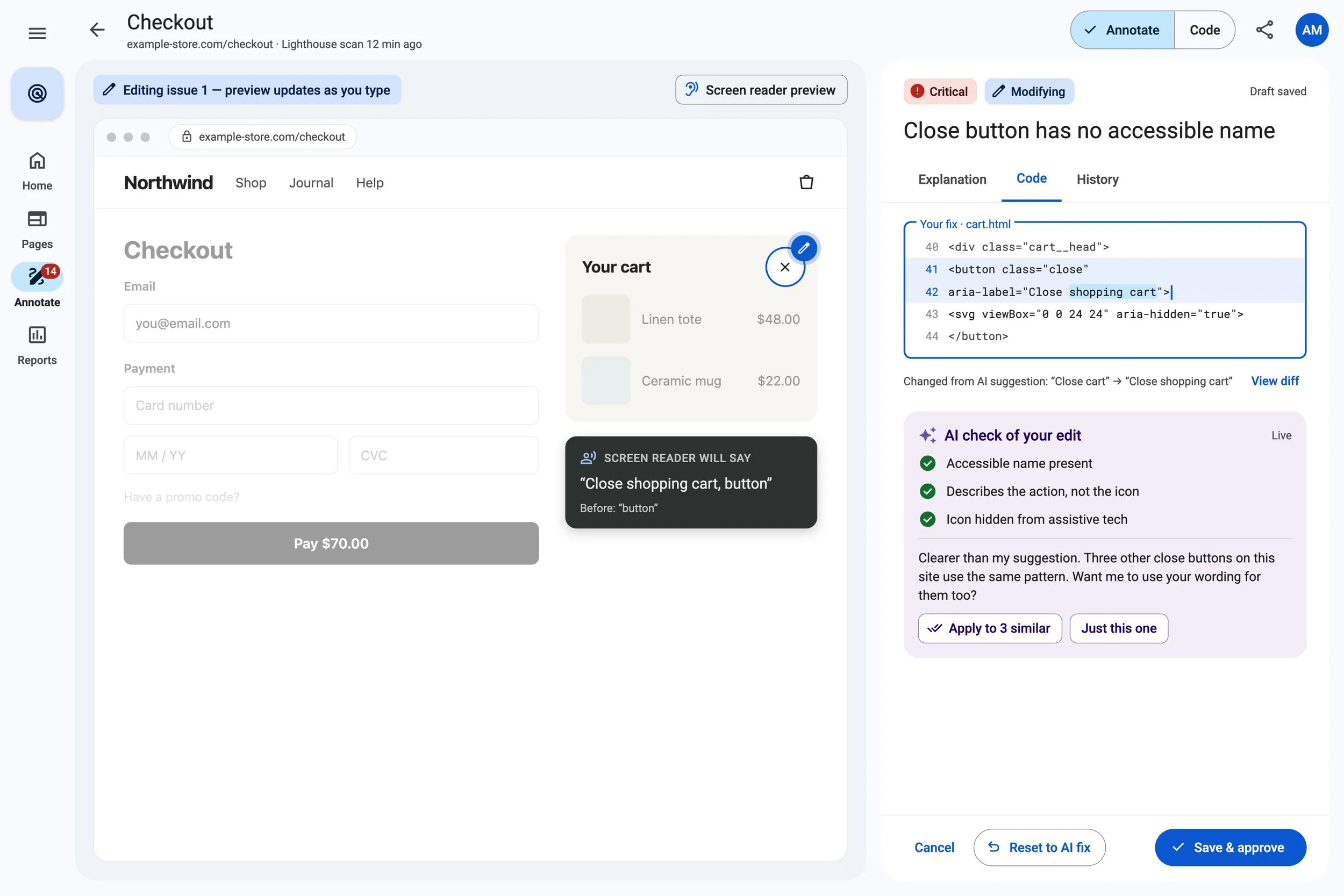
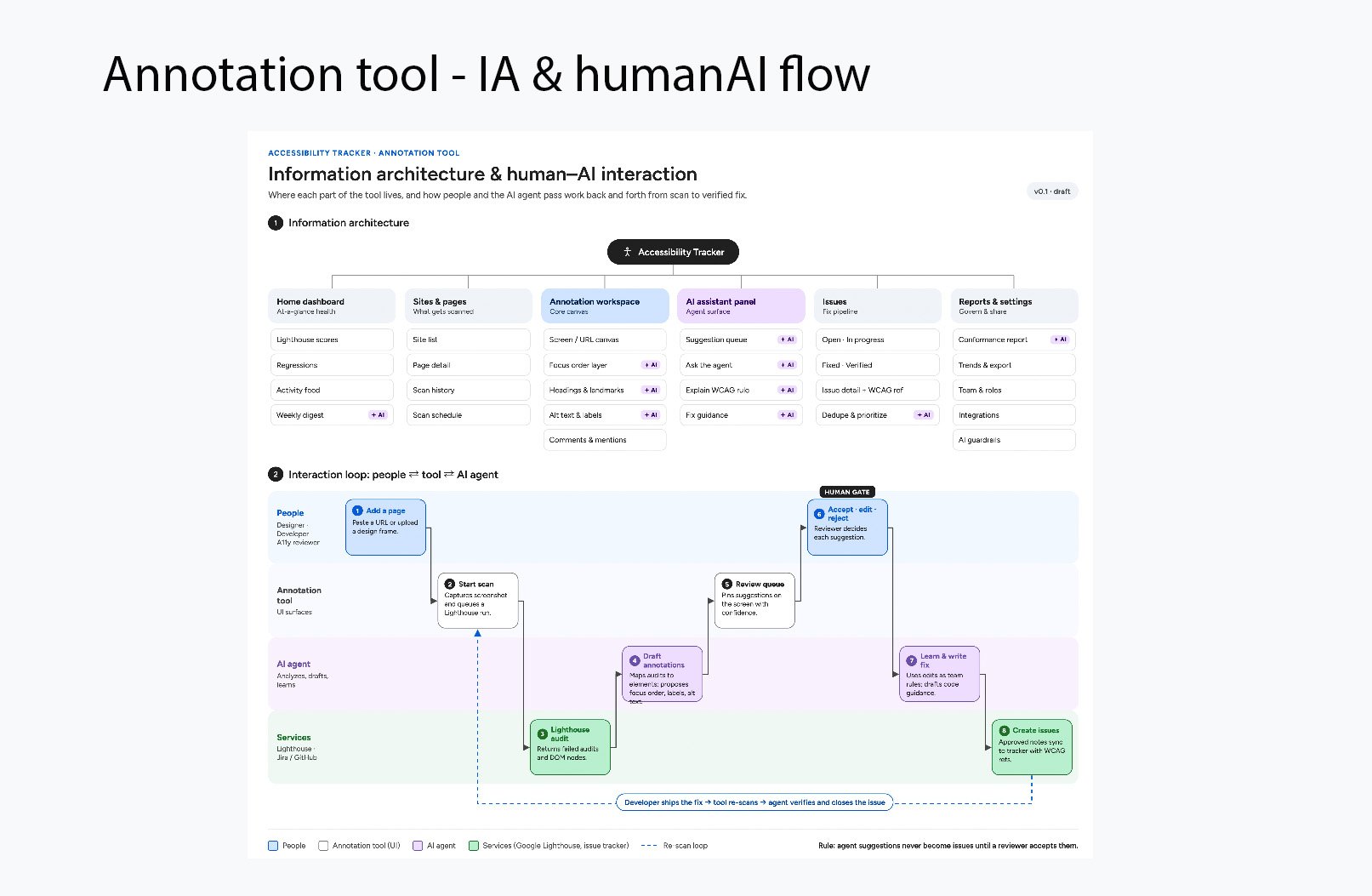
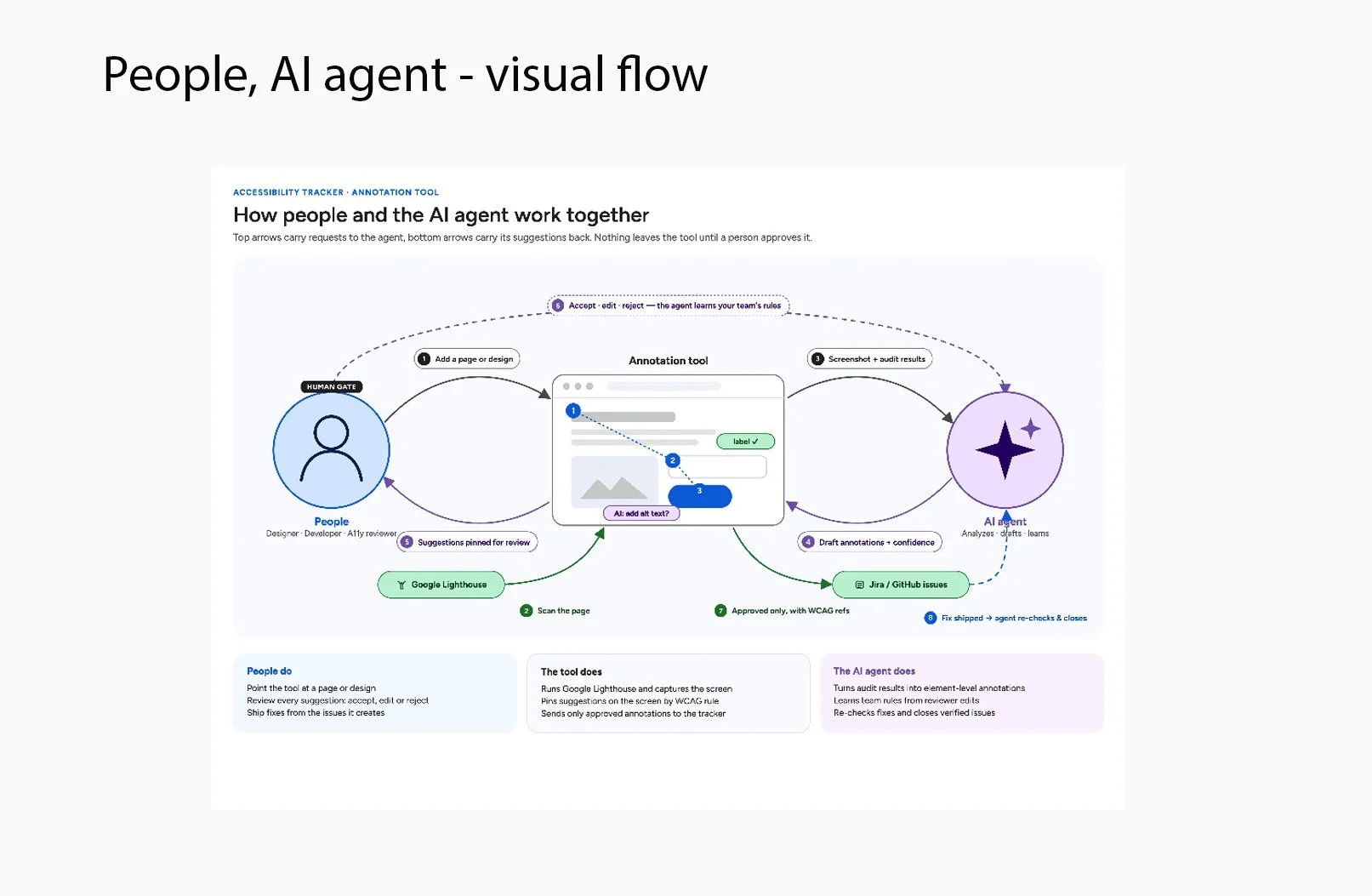
Human review workflows that allowed engineers to approve, modify, or reject AI recommendations
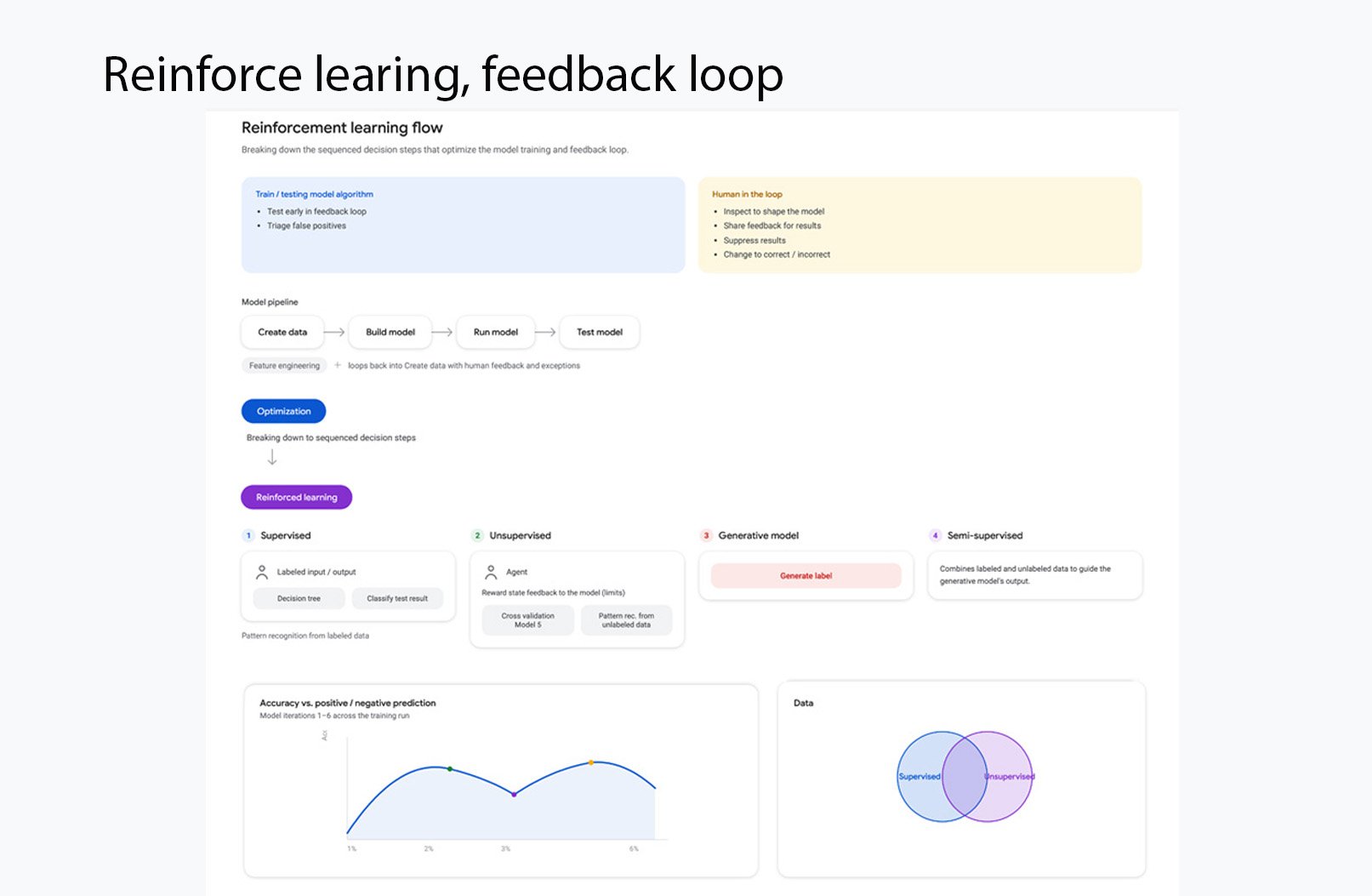
Feedback mechanisms to capture user decisions and improve the quality of recommendations
Throughout the process, I focused on balancing AI assistance with human control, ensuring that users could understand and evaluate recommendations before taking action.
AI-Powered Accessibility Annotation Tool
Designed an AI-powered workflow to help engineers identify and resolve accessibility issues earlier in the product development process.
As part of Google's accessibility initiatives, I designed the user experience for an AI-powered annotation tool that helped data analysts and engineers detect, understand, and resolve accessibility issues directly within their design and development workflow. Accessibility issues are often discovered late in product development, when they are more difficult and expensive to fix.
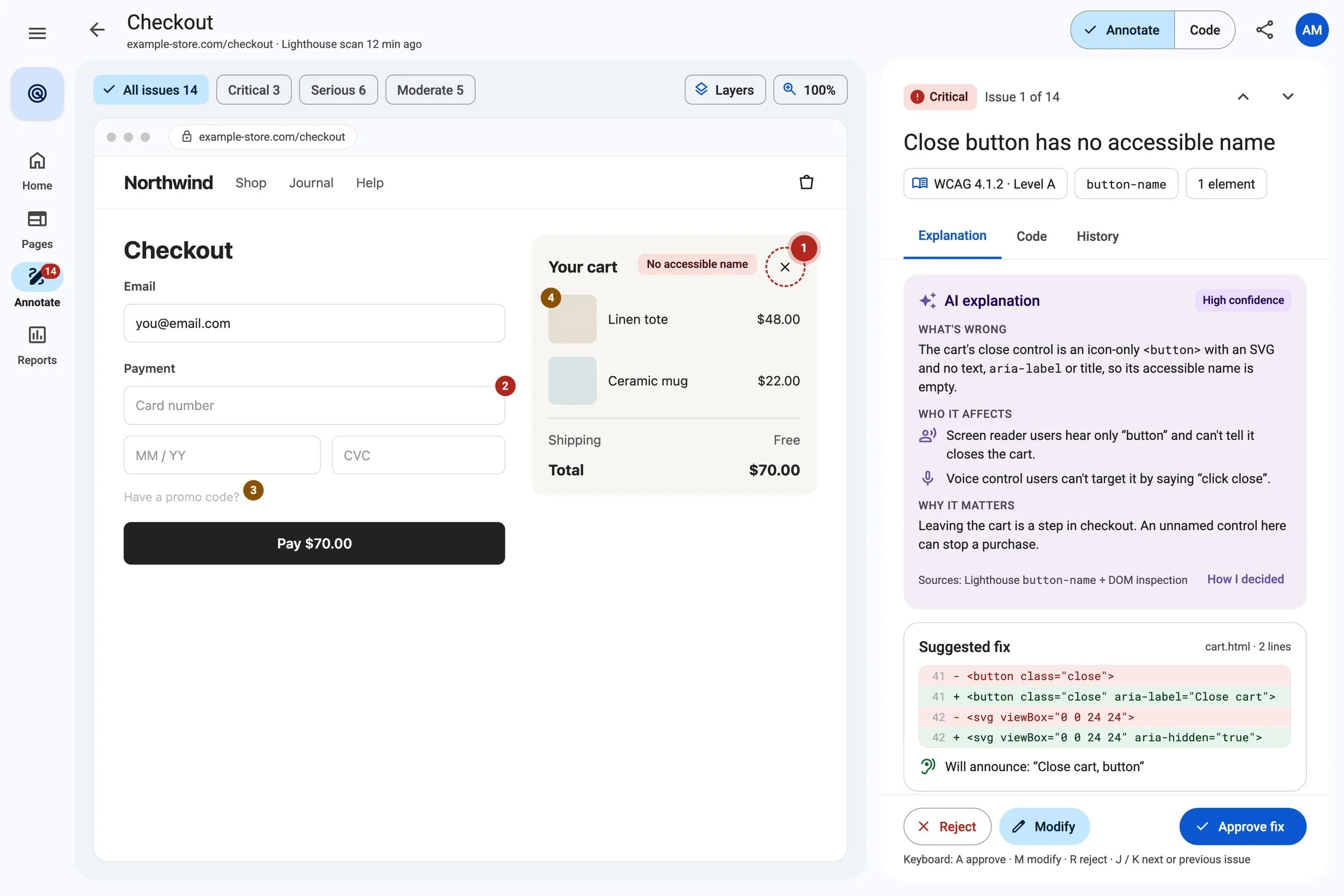
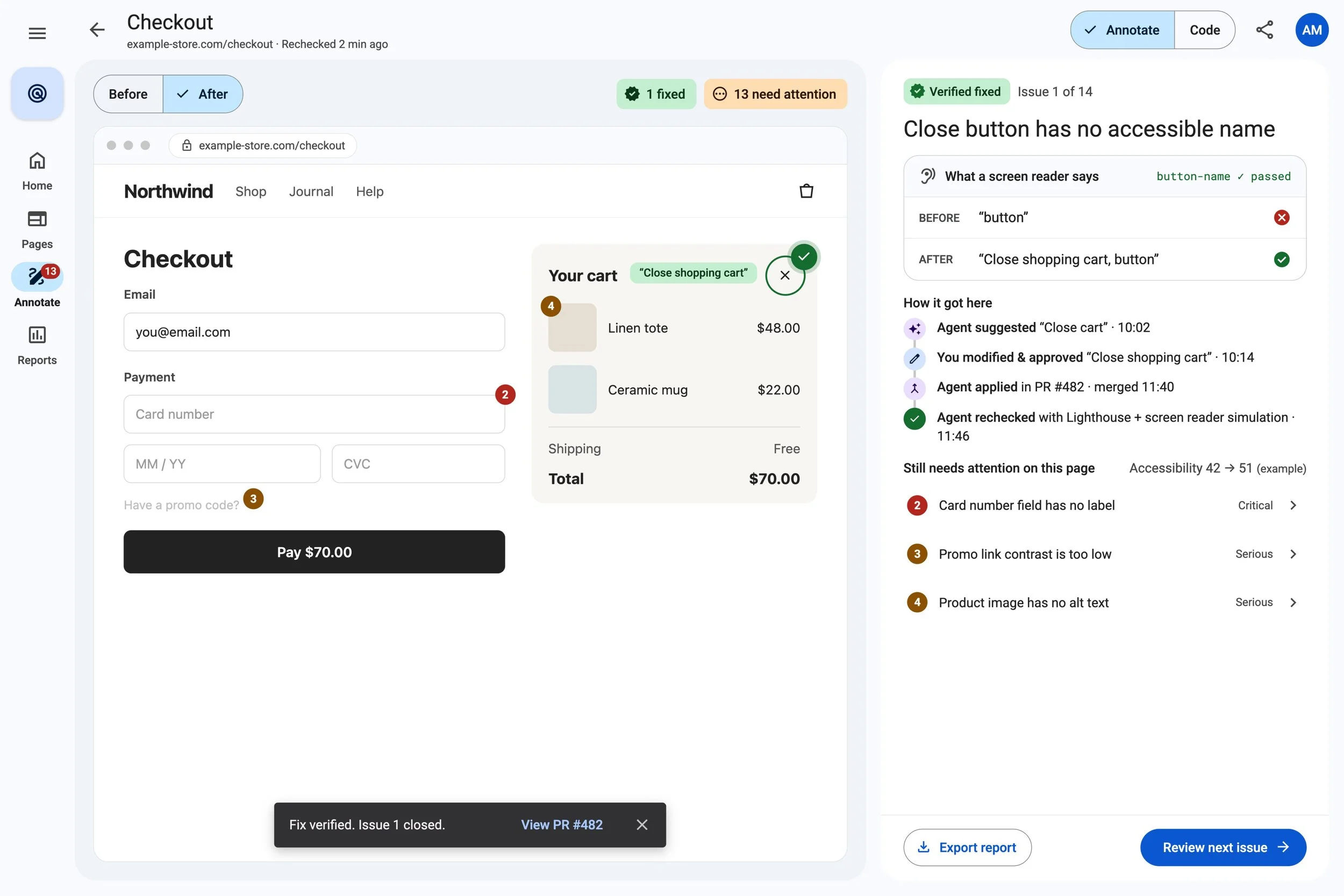
AI-powered accessibility annotation brings accessibility guidance directly into the development workflow. Instead of only telling teams that something failed an accessibility check, the experience helped them understand: What is wrong? → Why does it matter? → How can I fix it? → Did the fix work?
Solution
The final experience enabled users to:
Automatically identify accessibility issues within designs.
View contextual annotations directly on interface elements.
Understand why an issue affected accessibility.
Receive AI-generated recommendations for improvements.
Review, accept, or dismiss AI suggestions.
Collaborate with engineers to resolve issues before implementation.
The experience integrated accessibility guidance into everyday product development, making accessibility easier to understand and apply.
Outcome
The AI-powered annotation tool helped embed accessibility earlier in the design and development process by providing actionable guidance when teams could address issues most efficiently. It reduced reliance on late-stage manual reviews and supported more consistent accessibility practices across product teams.
The experience helped turn complex accessibility findings into clear, actionable guidance for data analysts and engineers.
Designed AI-Powered Personalized Multimodal Onboarding
Transforming a complex accessibility setup into an adaptive, multimodal experience that personalizes the device around each user’s vision, hearing, and interaction needs.
I designed an LLM-powered onboarding experience that replaces a painful sequence of accessibility settings with a simple conversation. Instead of navigating multiple menus and configuring individual features, users can describe their needs naturally through text or voice. The LLM interprets information such as vision needs, eye prescription, hearing preferences, and other accessibility requirements, then asks relevant follow-up questions when more context is needed. The experience translates those inputs into a personalized accessibility profile that can configure the device around the individual user. Personalization remains flexible rather than permanent. As a user’s needs change—for example, if their vision prescription or hearing needs change—they can update that information conversationally and adjust their personalized setup. Before settings are applied, users can review how the AI interpreted their needs, resolve ambiguity, and make corrections—keeping transparency and human control at the center of the experience.
Impact
By centralizing accessibility data and simplifying complex workflows, Accessibility Tracker helped teams make faster, more informed decisions.
40% reduction in manual reporting through centralized accessibility metrics and automated reporting.
25% faster issue resolution by helping teams identify and prioritize accessibility issues.
50% improvement in accessibility visibility through standardized dashboards, trends, and product-level reporting.
Beyond efficiency, the project improved the user experience for managers, engineers, UX, and accessibility specialists by making accessibility information easier to understand, navigate, and act on.
Contribution
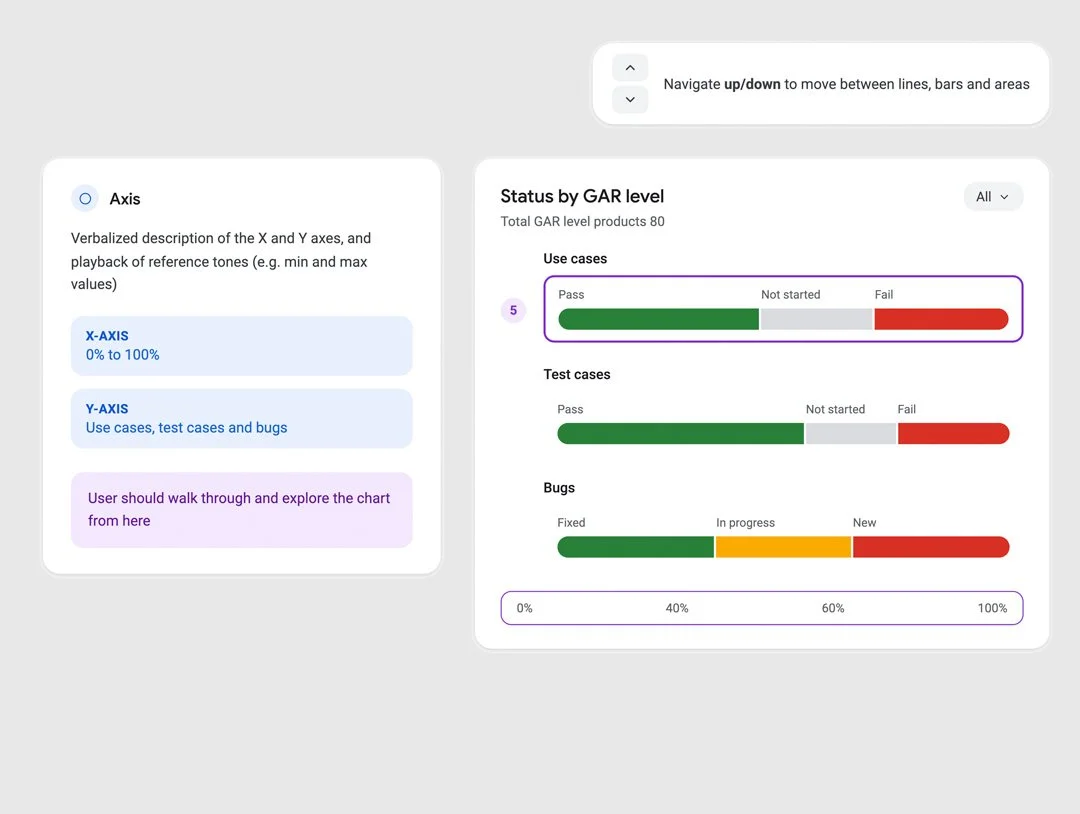
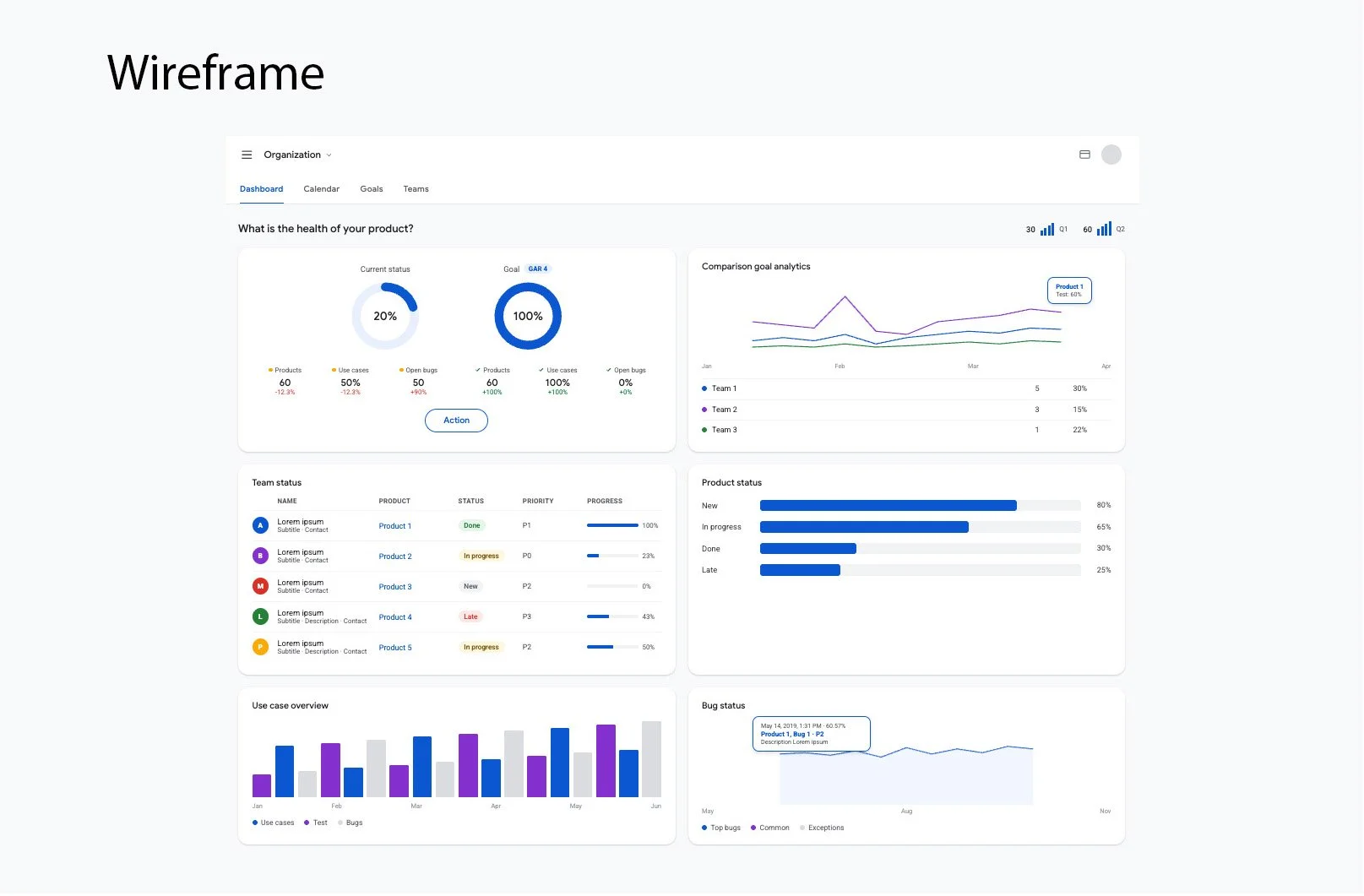
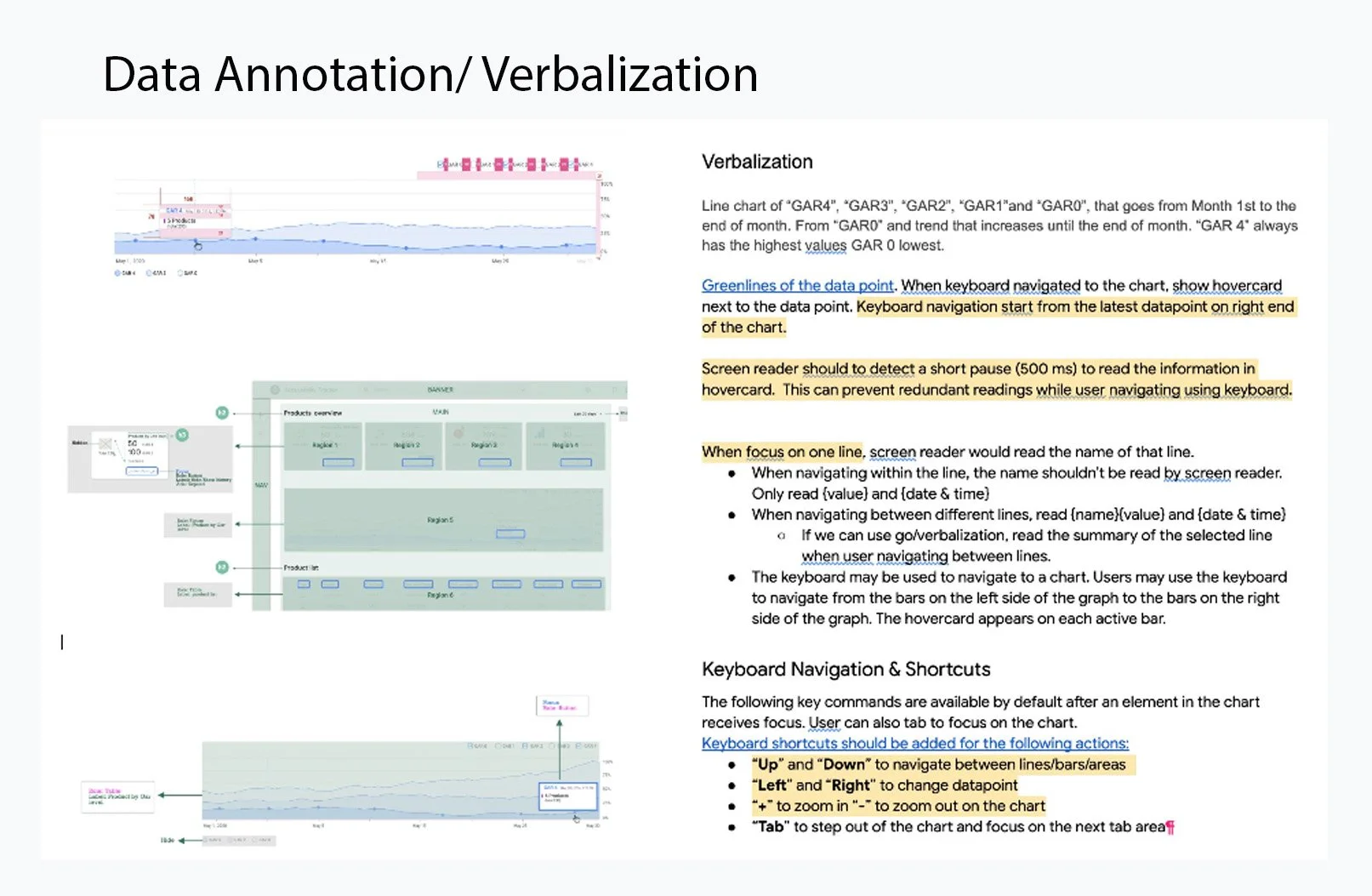
Created accessible data visualization patterns that improved the clarity and readability of accessibility metrics.
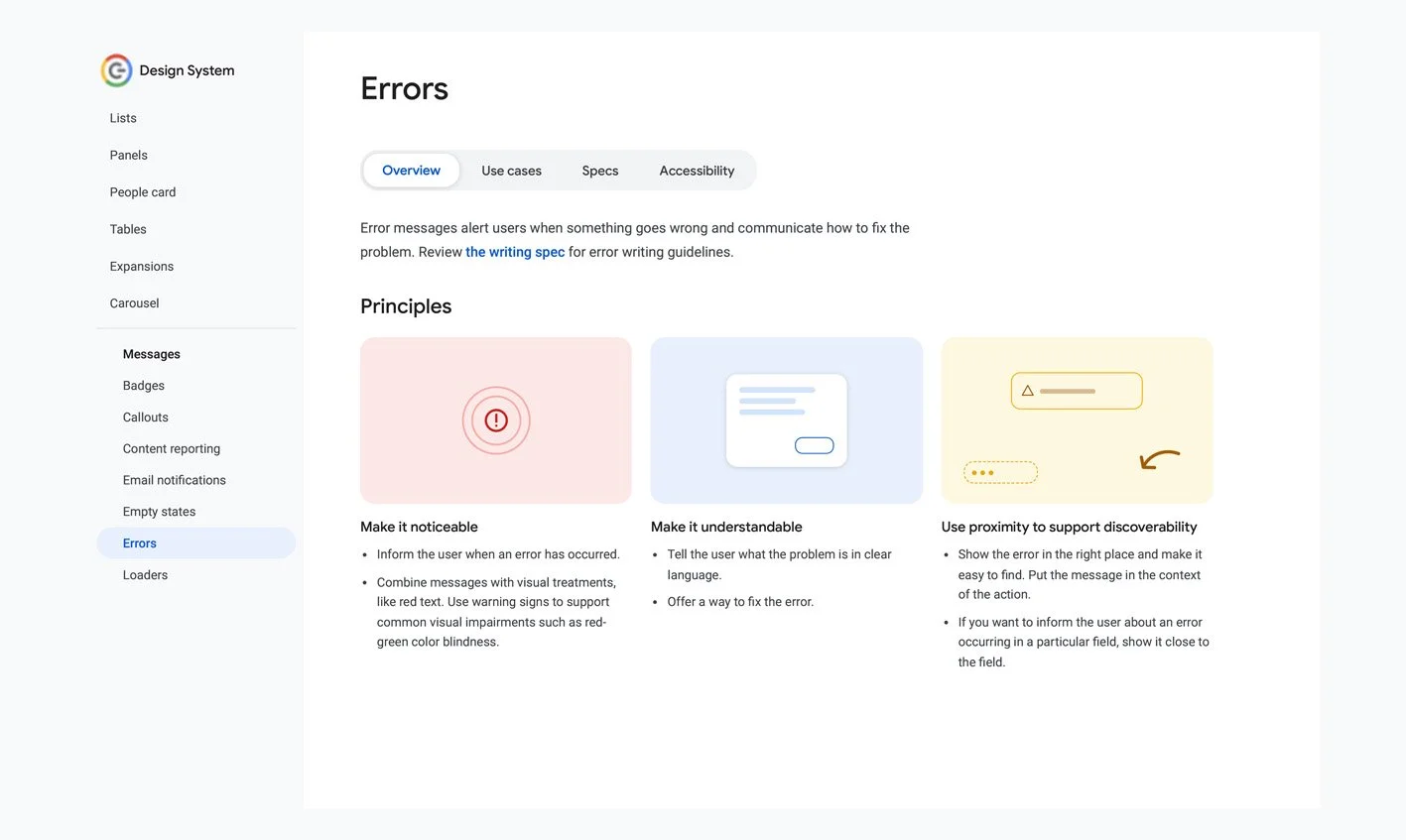
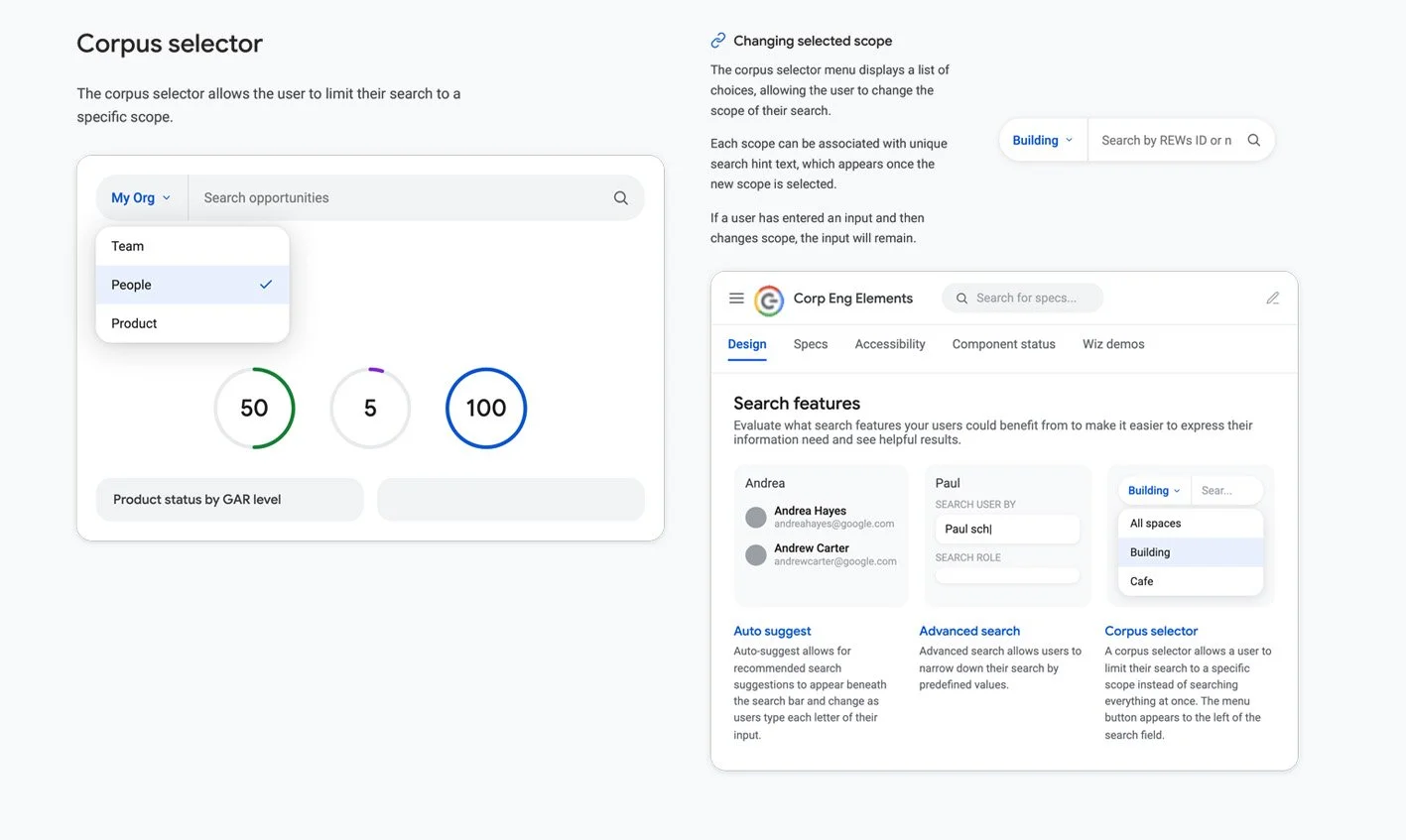
Designed reusable error messaging, search, and accessibility UI patterns that contributed to Google's Material Design System and promoted consistent, accessible experiences across products.
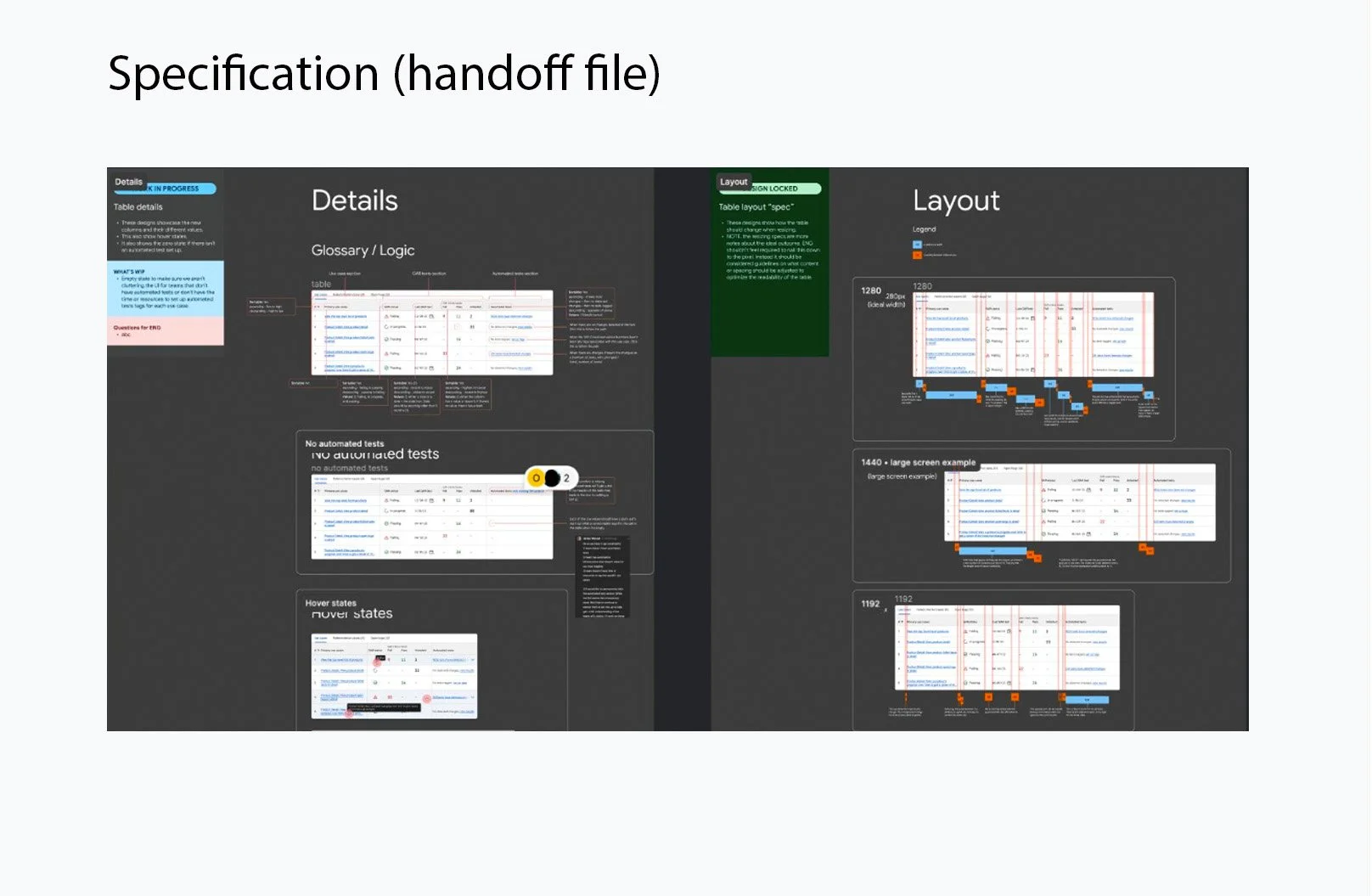
Partnered closely with engineers to translate accessibility standards into scalable UI components and implementation guidelines.
Design System
Beyond designing the product, I contributed to Google's Material Design System by creating reusable, accessibility-focused UI components and patterns that could scale across products.
While designing the product, I also identified gaps in the existing design system. Rather than solving those problems only within my product, I worked cross-functionally to create reusable accessibility patterns that could scale across experiences
I designed accessible dashboard components, error messaging patterns, and data visualization guidelines that made complex accessibility information easier to understand and aligned with Material Design accessibility standards.
-
![]()
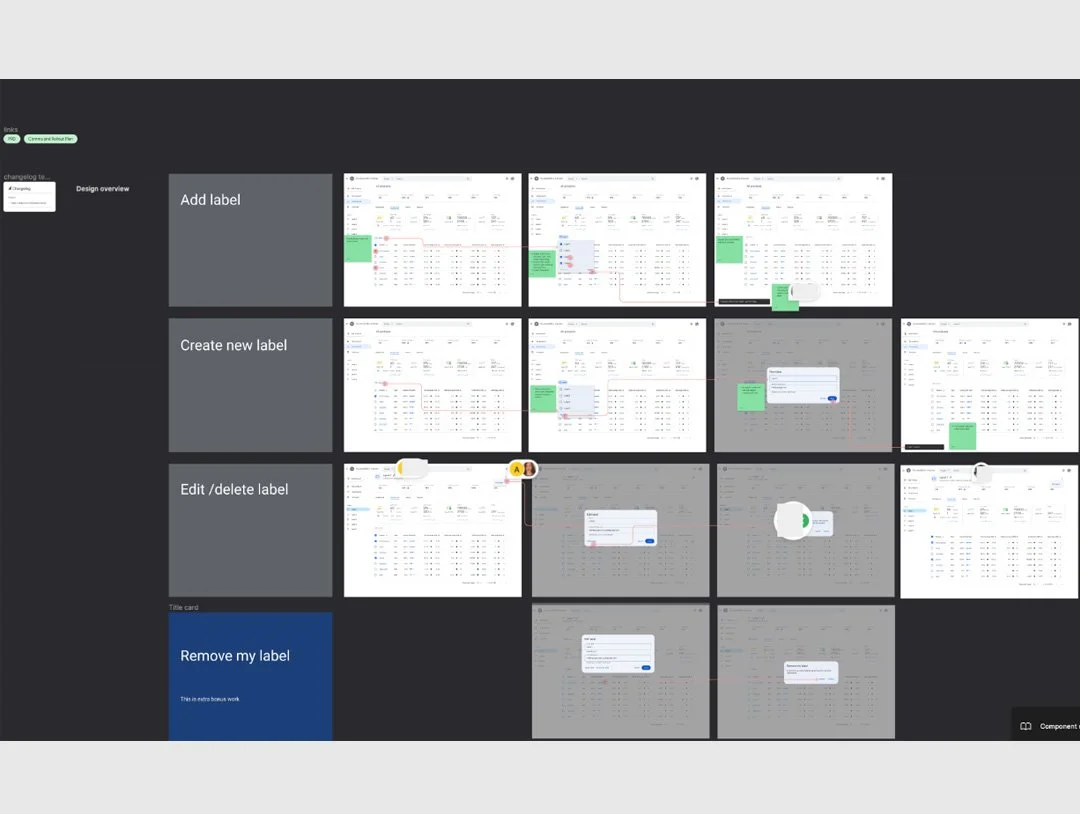
Add/Edit label
-
![]()
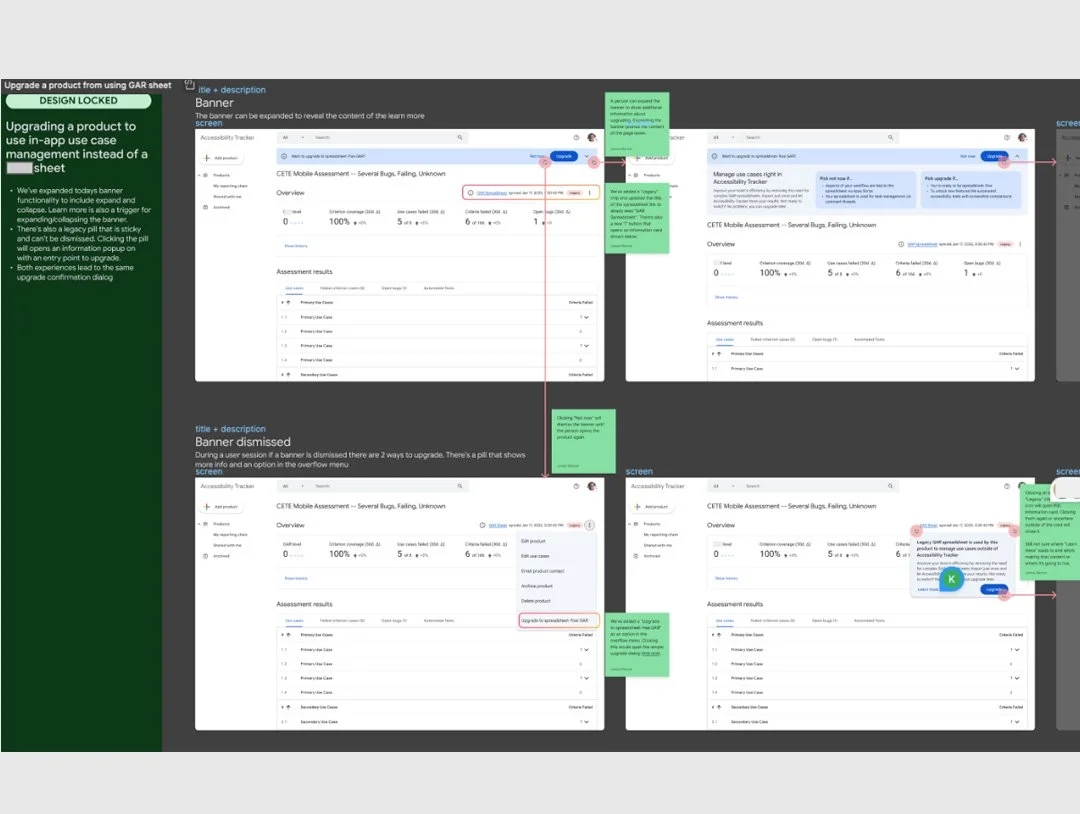
Upgrade
-
![]()
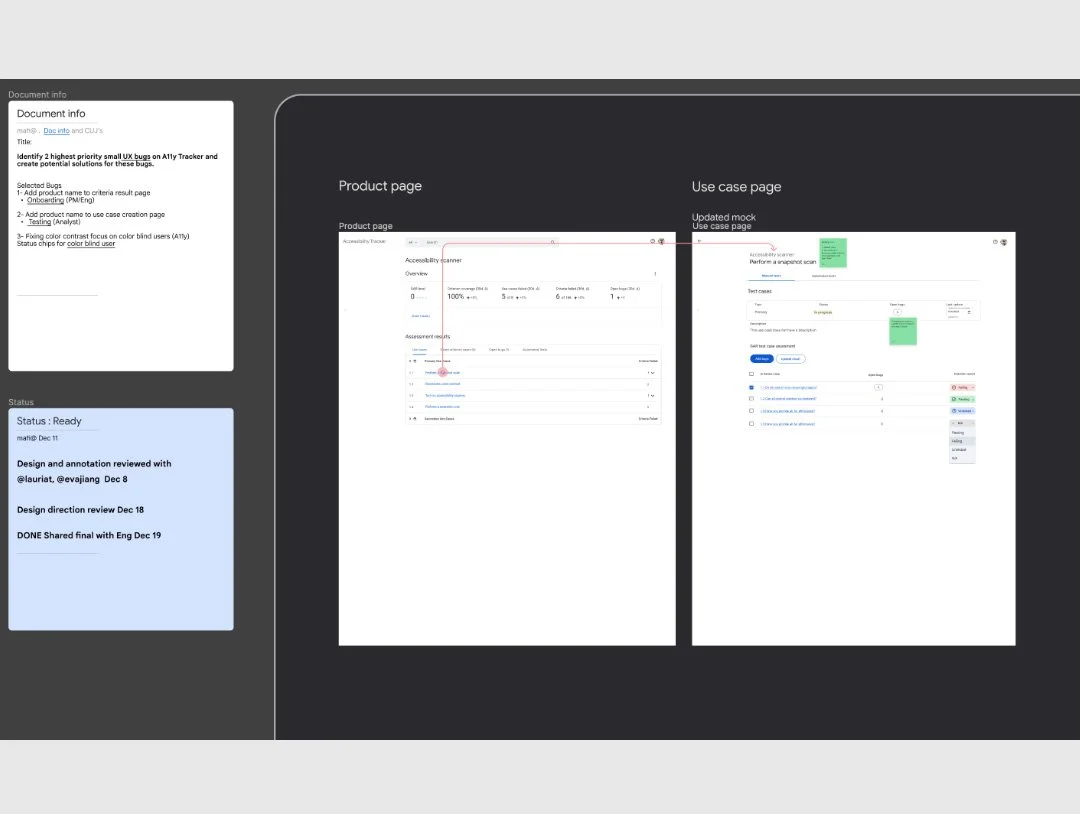
Add/Edit product name
-
![]()
Data Verbalization
-
![]()
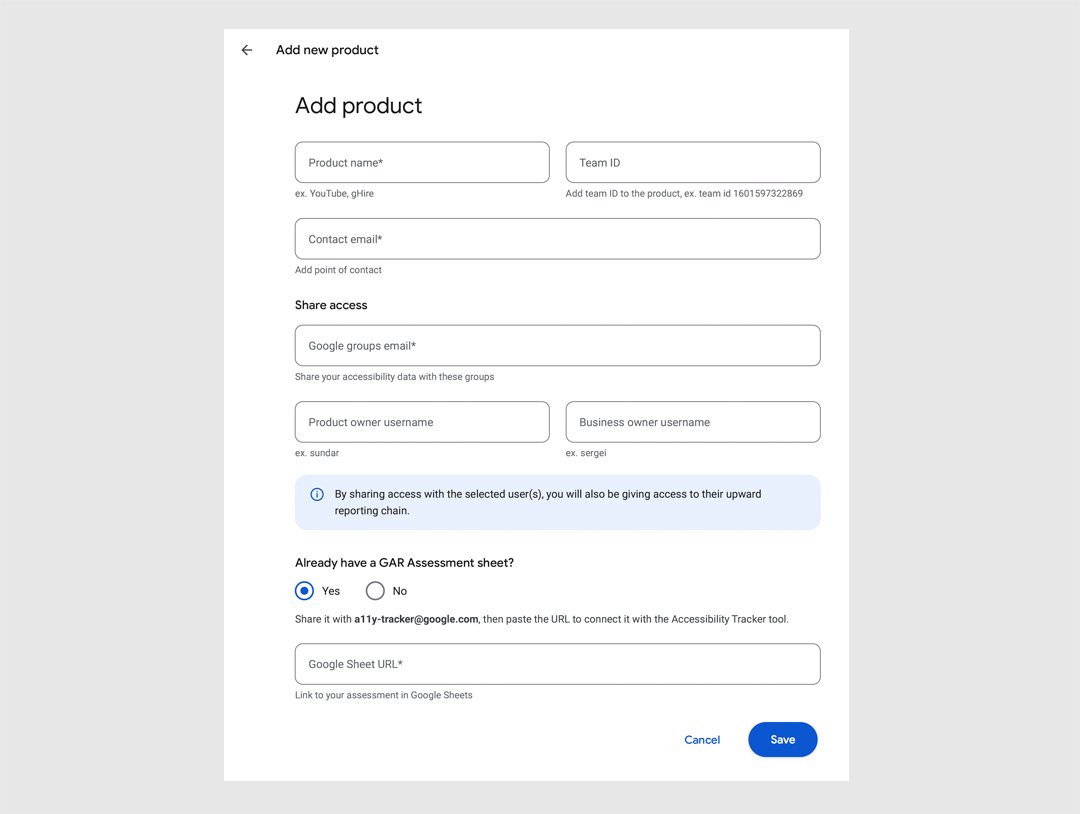
Add new product
-
![Custom action]()
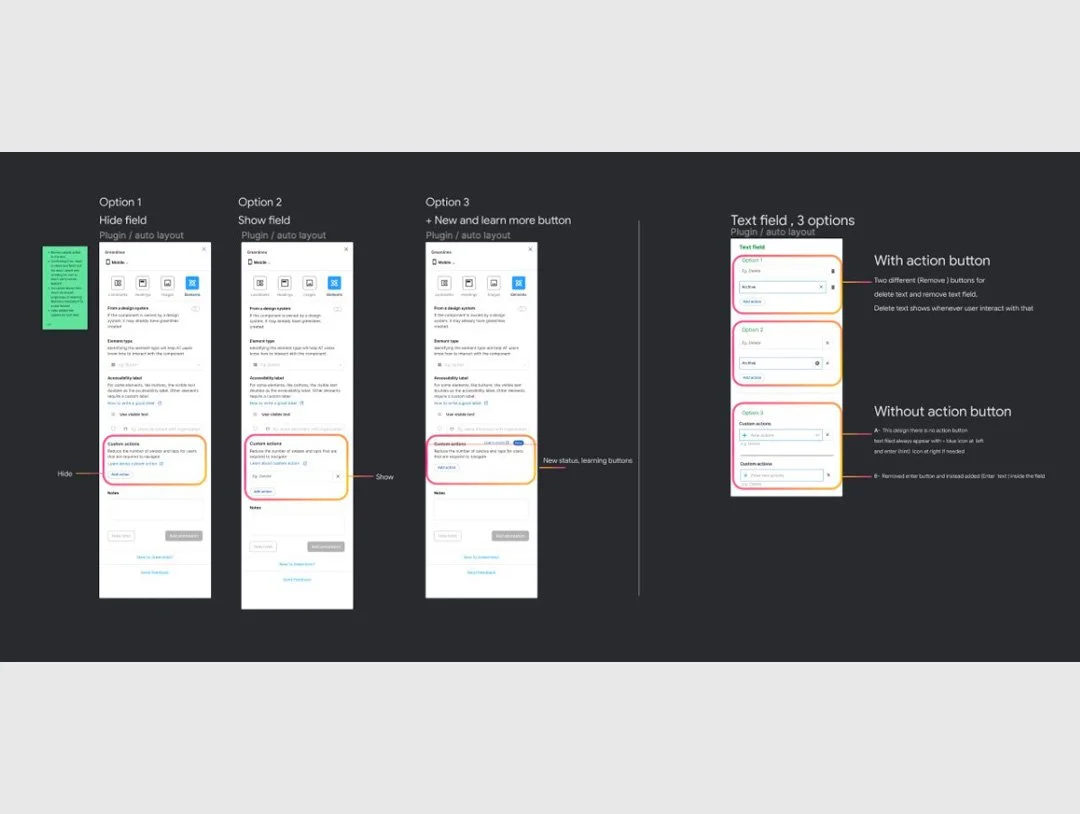
Custom action- Greenline
-
![]()
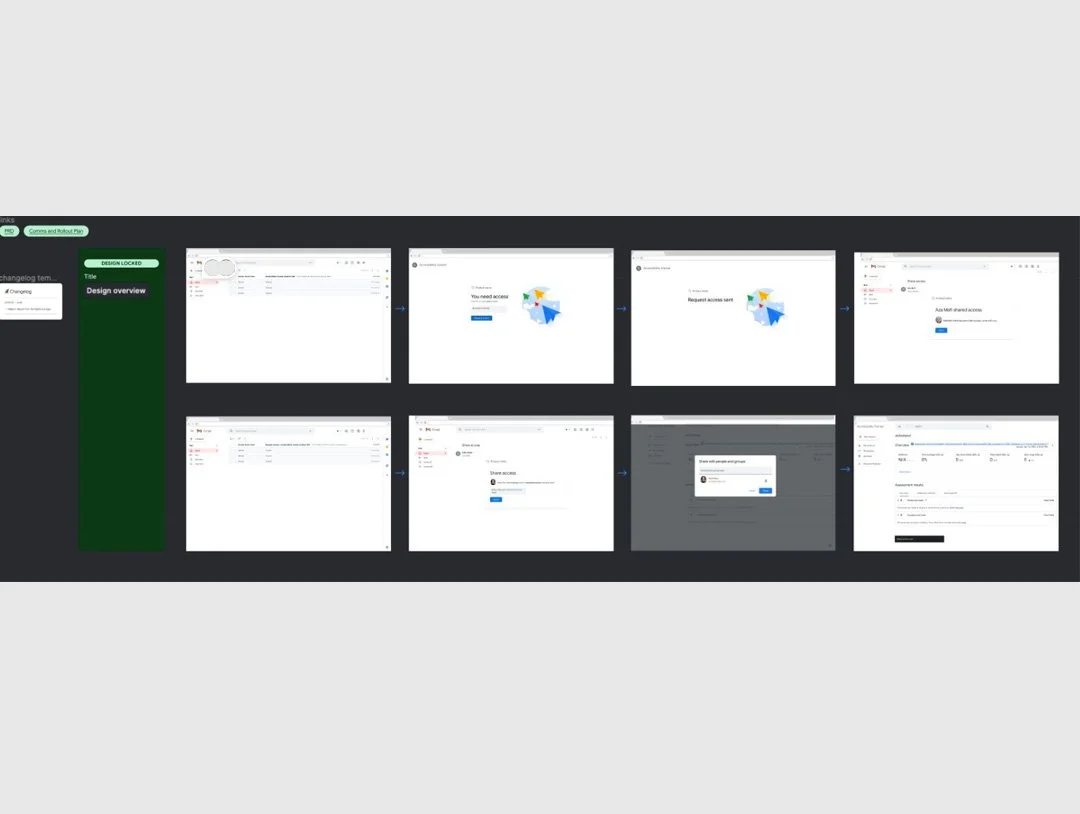
Request access